Connect an identity provider
The list of identity connections, the actions menu, the provider choice and what each connection guarantees.
Xokepoint does not store customer users. It trusts the identity provider the customer already uses and checks, on every token exchange and every call, that the subject token came from that provider. That trust is the identity connection, and it is the first step of any environment: without it, no subject exists for Xokepoint.
The list
Connections are in Access › Integrations › Identity providers:
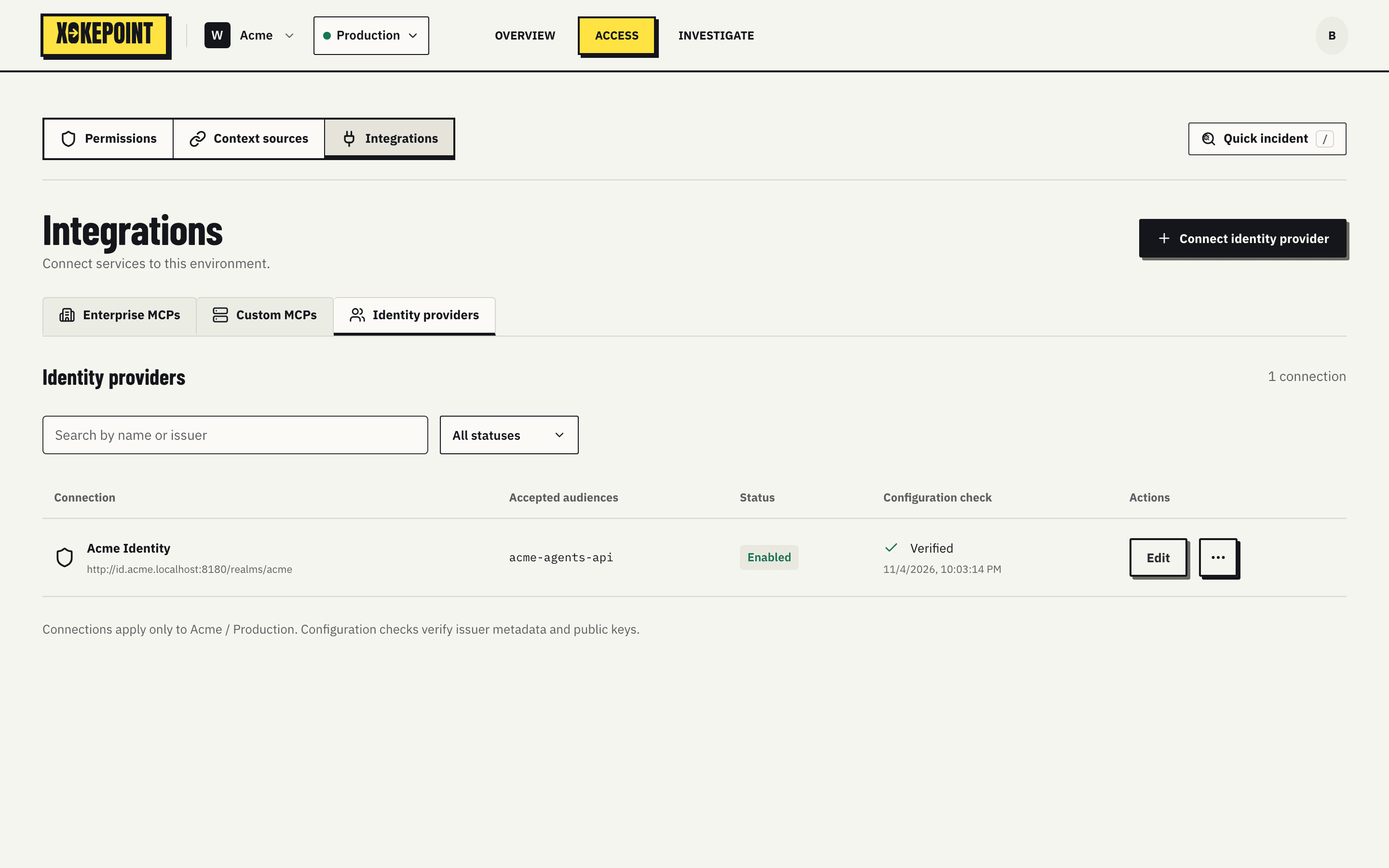
| Column | What it shows |
|---|---|
| Connection | Name and issuer |
| Accepted audiences | The aud values accepted in subject tokens |
| Status | Enabled or Disabled |
| Configuration check | The result of the last check, such as Verified, and when it ran |
| Actions | Edit and the ⋯ menu |
Search looks up name or issuer, and All statuses filters by state. The footer recalls the scope: connections apply only to the selected workspace and environment.
The actions menu
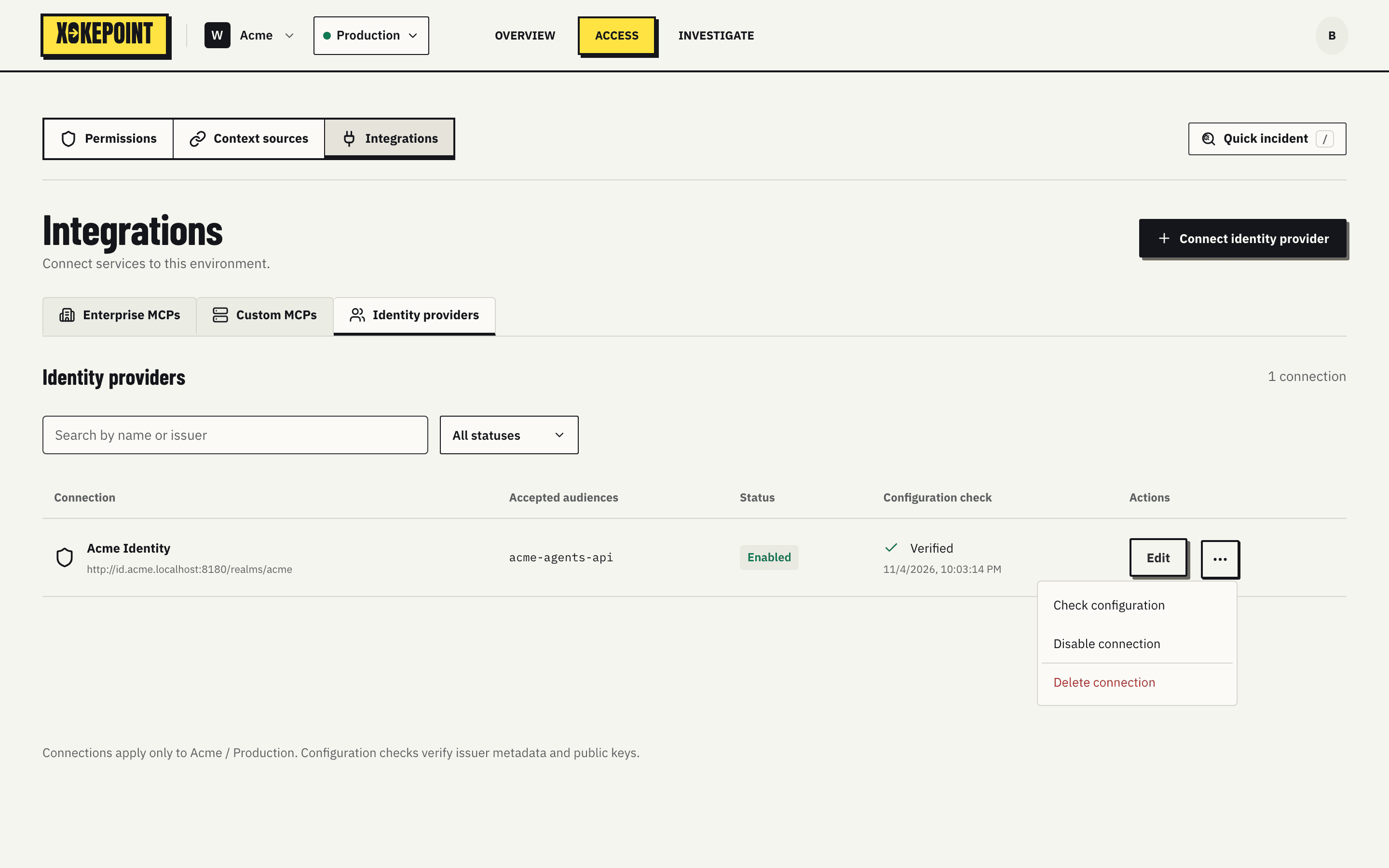
- Check configuration verifies the metadata, keys and directory access again.
- Disable connection turns the connection off without deleting it. Every subject of that provider stops getting tokens on the next token exchange, and calls in progress are refused on the next check. Agent delegations stay stored for when the connection comes back.
- Delete connection removes the connection.
Choose the provider
Connect identity provider opens the choice:
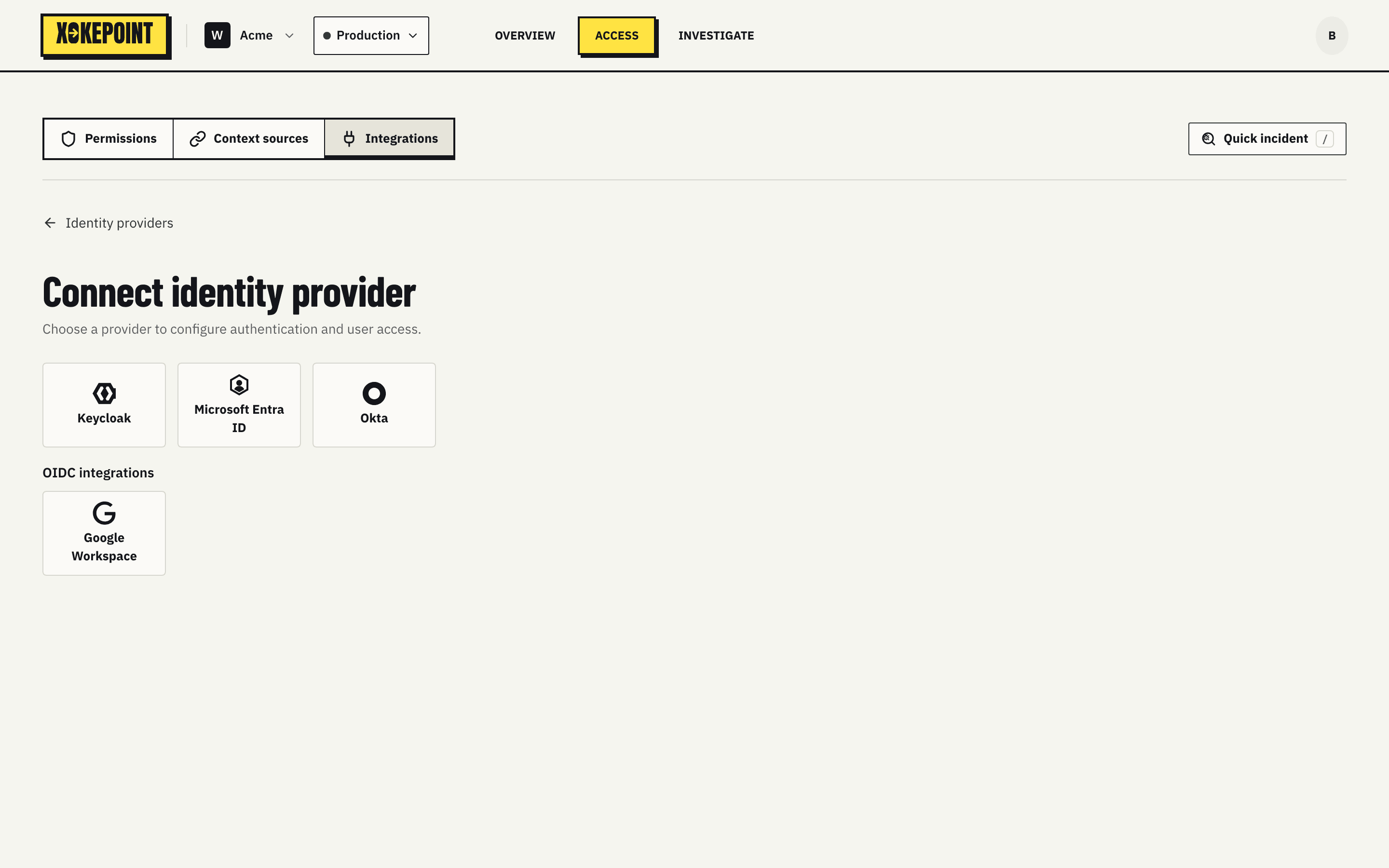
| Provider | Page |
|---|---|
| Keycloak | Keycloak |
| Microsoft Entra ID | Microsoft Entra ID |
| Okta | Okta |
| Google Workspace | Google Workspace |
Every form has four parts: Connection (name and whether the connection is on), Request authentication (how to validate subject tokens), the directory (how to read it to choose who can delegate) and Harness login (how people sign in from a coding harness). In the Microsoft Entra ID form, the directory part is Microsoft Entra app, the one app registration that also signs people in. In the Okta form, the directory part is Okta API Services app, and harness login uses a second app, an OIDC Web app. Directory access is always read only.
Harness login
The last section of the form lets people log in from a coding harness, such as Claude Code, through this provider (Connect a coding harness). Xokepoint is an OIDC client of the provider: it sends the person to the provider, reads who they are and their groups, then asks for their consent.
- Allow harness login: "Each agent then chooses which groups of this provider can log in." The groups are chosen in each agent (Who can delegate).
- Redirect URI, with a copy button:
<issuer>/callback, where<issuer>is the Xokepoint authorization server of the environment. Register it in the provider. A new connection shows it after the first save. - Login client ID and Login client secret: a confidential OIDC client of the provider with the authorization code flow. It is not the directory client, except in Microsoft Entra ID, where one app does both and the form asks for it once. In Okta, it is the OIDC Web app, not the API Services app. The secret is stored encrypted and is not displayed.
At each login, Xokepoint reads the groups of the person from the directory, with the directory credentials of the form, never from a claim of the token. The directory credential needs permission to read groups; Check connection says when it is missing. If the directory cannot be read at login, the login stops and no access is granted.
Turning Allow harness login off, or disabling the connection, stops the refresh of every machine that logged in through it; their access tokens end within 5 minutes.
| Provider | Group read |
|---|---|
| Keycloak | The query-groups and view-users roles of realm-management on the directory client |
| Microsoft Entra ID | The Microsoft Graph application permission GroupMember.Read.All, with admin consent |
| Google Workspace | The scope https://www.googleapis.com/auth/admin.directory.group.readonly in the domain-wide delegation of the service account |
| Okta | The scope okta.groups.read of the API Services app |
Xokepoint receives no lifecycle events from the provider. Someone disabled there stops getting tokens, and the next token exchange fails (Revocation).