The Admin areas
Overview, Access and Investigate, and what you do in each.
The Admin has three areas in the top menu. Each matches a moment of the work.
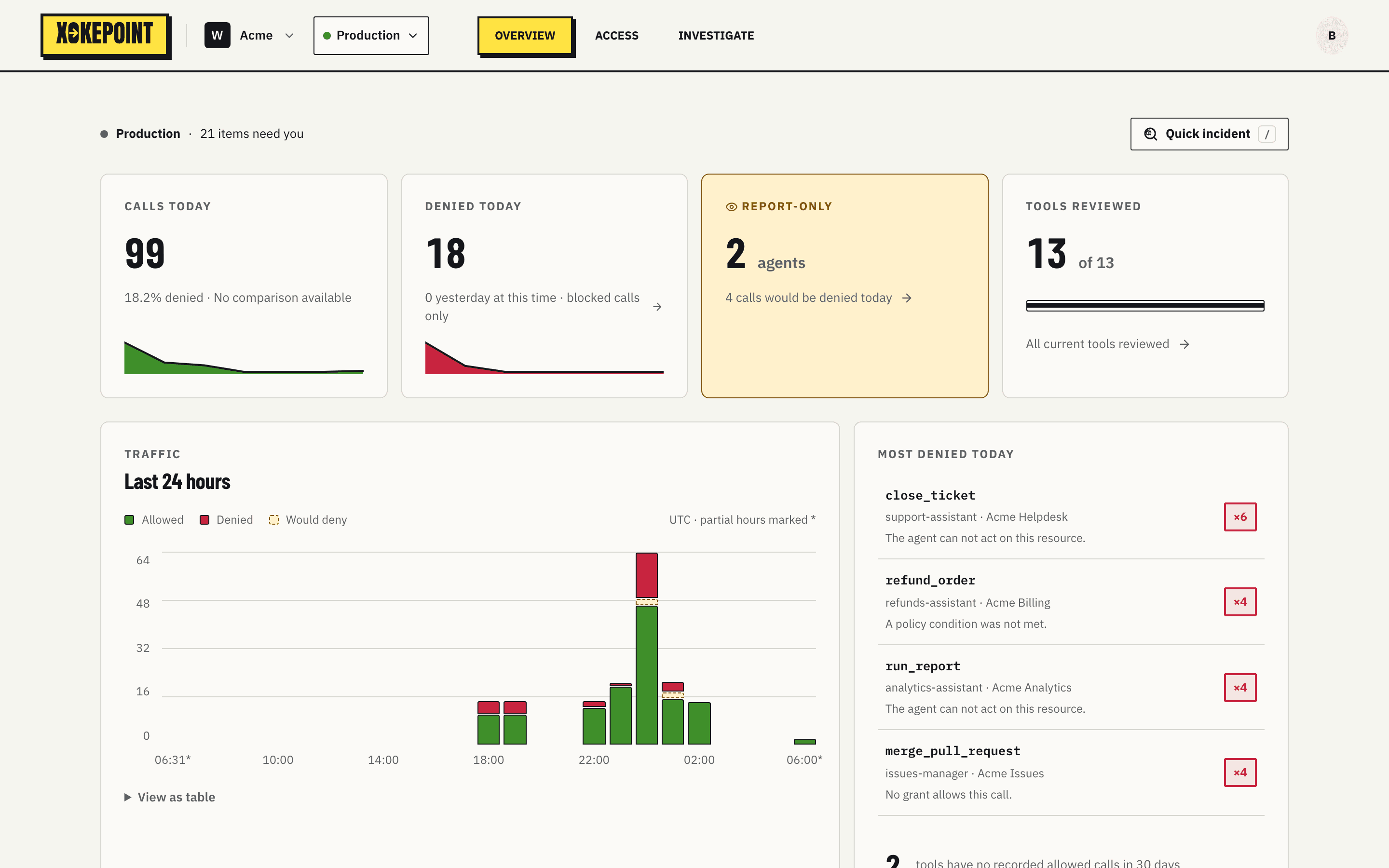
Overview is the home. It shows today's calls and denials, how many tools still need review, traffic over the last 24 hours, what was denied most today and the signal Inbox. It is where the administrator starts the day. See Overview and Inbox.
Access is where you configure. It has three tabs:
| Tab | Contents |
|---|---|
| Permissions | Agents: delegation, tools, rules, identity and publication |
| Context sources | Customer APIs that provide attributes for rules |
| Integrations | Enterprise MCPs, Custom MCPs and identity providers |
Investigate is where you understand a decision: who called, through which agent, which tool, which step denied and why. See Investigate.
The workspace and environment selectors sit next to the logo. Everything in the three areas belongs to the selected environment.
Guided tour
On the first visit to the Sandbox, a guided tour goes through the screens: identity providers, MCP servers, context sources, the agent and its permissions, the rules of a tool, the Claude Code login, the harness sessions and Investigate. It opens by itself once in each browser. The Take the tour button, at the bottom right of the Sandbox, opens it again.