Overview
The Admin home, today's counters, traffic over the last 24 hours, what was denied most and the environment selector.
The Overview is the first screen after sign-in. It answers one question: is something wrong in this environment today?
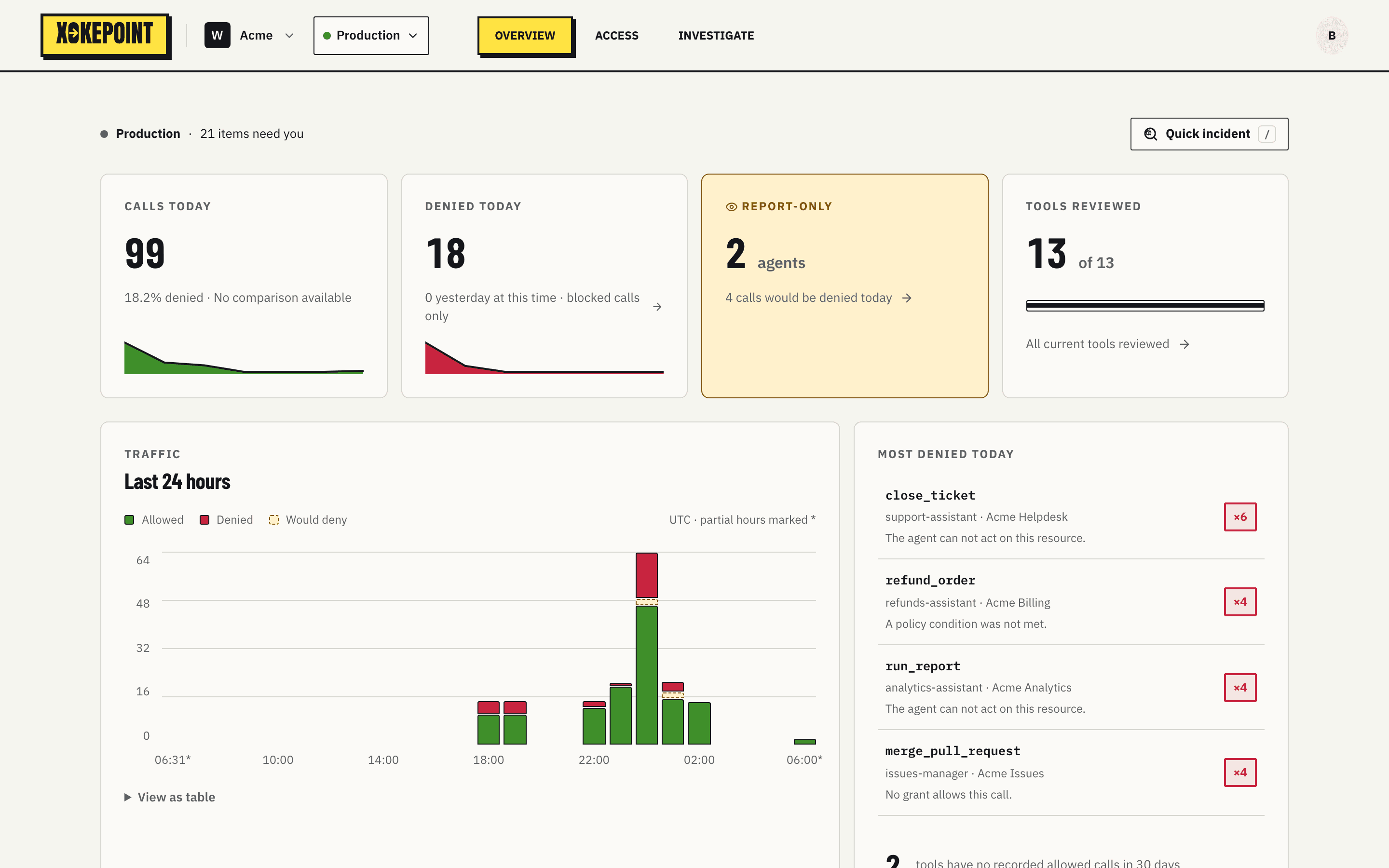
The line above the cards shows the environment and how many Inbox items need attention: "Sandbox · 4 items need you". While an agent of the environment is in Report-only, a banner above every screen counts its would-deny calls of the last 24 hours.
The counters
| Card | What it shows | Where it leads |
|---|---|---|
| Calls today | Calls since 00:00 UTC, would-deny calls included, the share denied and the comparison with yesterday, with a curve of the day | — |
| Denied today | Today's blocked calls and how many there were yesterday at the same time. Would-deny calls are not in it | Investigate, filtered on denials |
| Report-only | Only while an agent is in Report-only: how many agents, and how many calls would be denied today | Investigate, filtered on Would deny |
| Tools reviewed | How many managed tools are reviewed, out of how many, with a progress bar | N tools need review opens the tools waiting for review |

Traffic
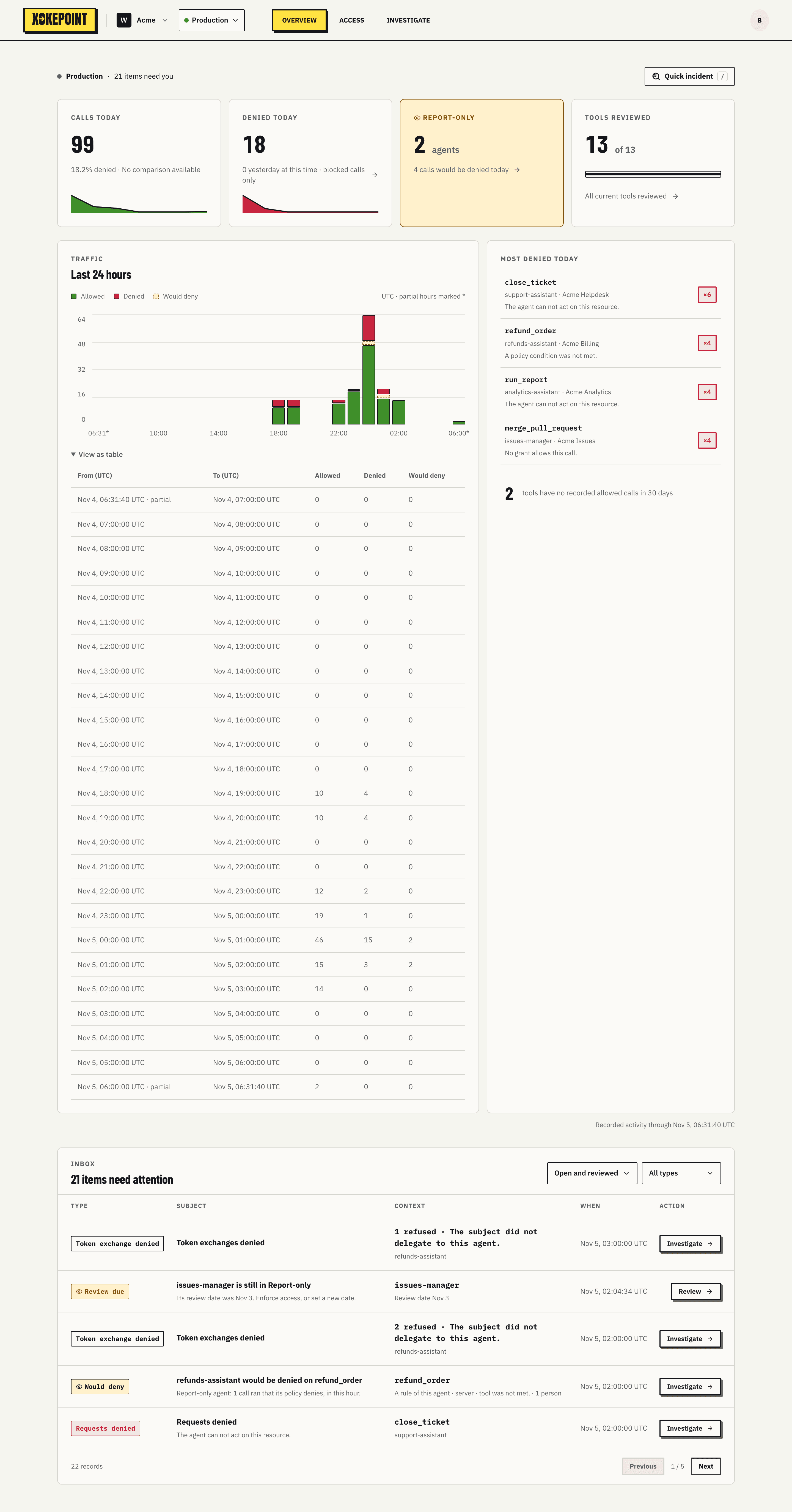
The chart shows the last 24 hours per hour, with allowed and denied stacked, and would-deny calls on top, dashed, while there are any. Incomplete hours, the first and the current one, carry an asterisk ("UTC · partial hours marked *"). Hovering a bar shows the interval and the counts.
View as table shows the same information as a table, with start, end, allowed and denied for each hour, and a Would deny column while there are any:
Most denied today
The list shows the combinations that denied most today: the tool, the agent, the server and the reason, with the count highlighted. In the example, merge_pull_request · issues-manager · Acme Issues was denied 6 times with "No grant allows this call." Clicking opens Investigate filtered on that combination.
Below, a counter shows how many tools had no allowed call in 30 days. Unused tools are candidates to leave the agents.
The last line says how recent the data is: "Recorded activity through Nov 1, 07:14:45 UTC".
Inbox
Below the cards sits the Inbox, the list of signals that need attention. It has its own page: Inbox.
Environment, workspace and profile
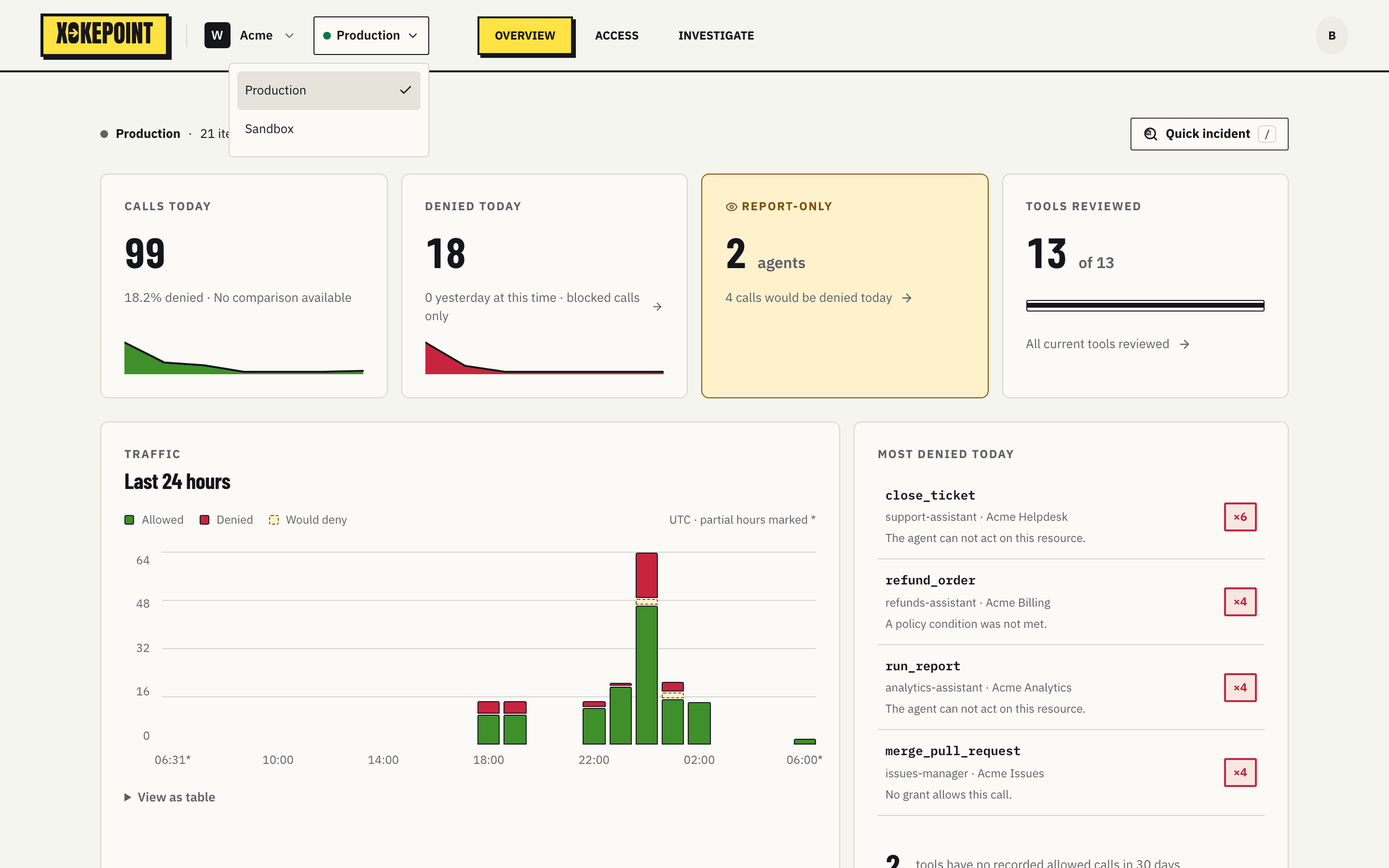
The selector next to the workspace name switches environment. Everything in Overview, Access and Investigate then belongs to the chosen environment:
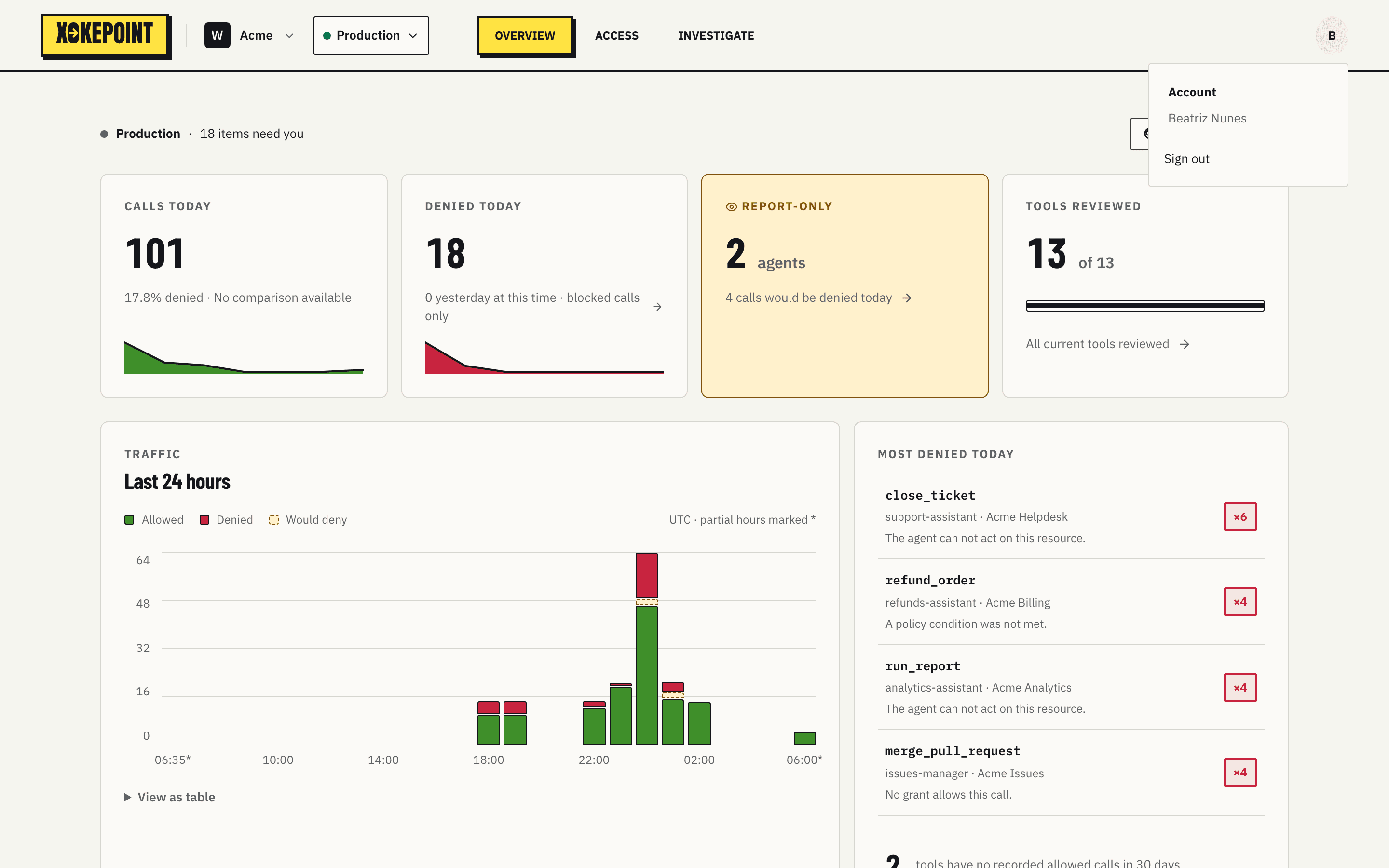
The icon on the right of the menu opens the profile, with the administrator's name and Sign out: