Token exchange inspector
The detail of an issued or refused token exchange, what to check for each reason and how repetitions appear.
A token exchange is when the agent asks for a Xokepoint token to act for someone (Token exchange). The same list records the tokens of harness logins and refreshes (Connect a coding harness), with their presence and the grant of the machine. Because Xokepoint does not synchronize user lifecycle with the IdP, a refused exchange is often the first sign that something changed: someone left the company, a key leaked, a connection was turned off.
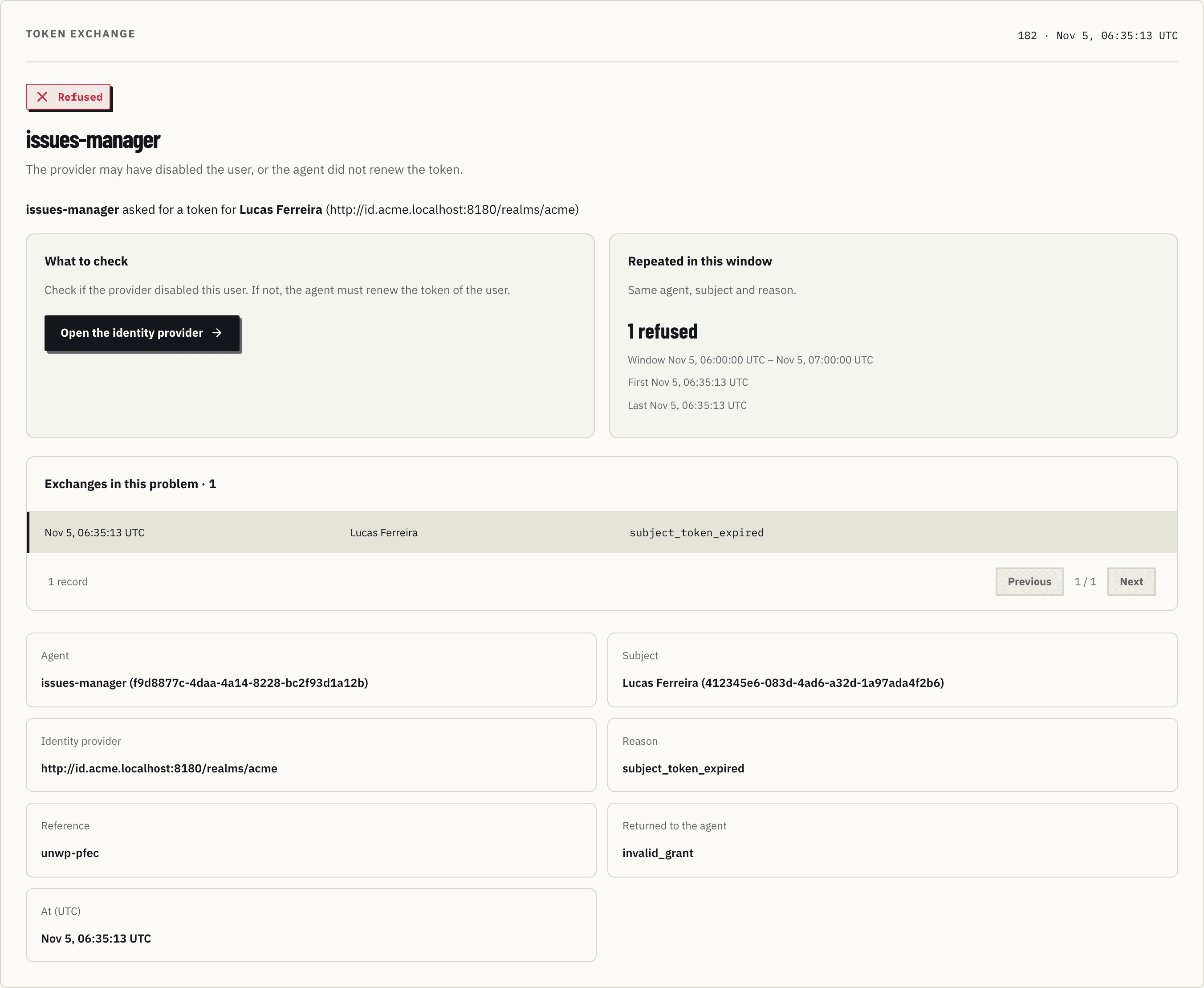
Anatomy
- Header: "Token exchange", the identifier and the time; the result (Refused or Issued), the agent and the reason in one sentence.
- What to check: what to look at for that reason, and a button that leads to the right place.
- Repeated in this window: how many identical exchanges (same agent, subject and reason) happened in the window.
- Exchanges in this problem: the occurrences, one per row, paged.
- The facts: agent, subject, provider, reason, the Cause of a
login_error, the harness of a login, the Reference code of a refusal, what was returned to the agent and the time.
Each reason
| Reason | Meaning | What to check | Returned to the agent |
|---|---|---|---|
subject_token_expired | The person's token has a valid signature and is expired | Whether the provider disabled the user. If not, the agent must renew the person's token | invalid_grant |
invalid_client | The agent key does not match | Whether the file is old or leaked. Rotate the key and deliver the new file | invalid_client |
subject_token_invalid | Signature, issuer or audience of the person's token do not match | The identity connection issuer and audiences, and the token the agent sends | invalid_grant |
subject_connection_disabled | The subject's identity connection is disabled | Whether the connection should be active | invalid_grant |
no_delegation | The subject did not delegate to the agent | Whether the subject should be checked in the agent's provider | invalid_grant |
invalid_authorization_details | The instance asked for limits that are not valid, or for a tool the agent can not call (RFC 9396) | The authorization_details the instance sends and the tools of the agent | invalid_authorization_details |
no_group | Harness login: the person is not in an eligible group of any agent of this harness | Whether the person should be in a group chosen in the Harness login block | Refused page with a reference code |
blocked | Harness login: the person is blocked on the agent | Whether the block is still needed | Refused page with a reference code |
not_allowed_client | Harness login: the harness is not allowed for an agent | The allowed harnesses of the agent | Refused page with a reference code |
code_reuse | An authorization code was used twice; the machine was revoked | Whether the code leaked from the computer of the person | invalid_grant |
refresh_reuse | A refresh token was used twice; the machine was revoked | Whether the refresh token was copied from the computer of the person | invalid_grant |
dpop_invalid | The DPoP proof is missing, invalid or from another key | Whether the token was copied from the harness that holds the key | invalid_dpop_proof or invalid_grant |
login_error | Harness login: the sign-in stopped before consent; the page showed only the code | The Cause fact: the request of the harness, its client metadata document or redirect address, an expired sign-in, the identity provider, or Xokepoint | Generic page with a reference code |
Every refusal has a Reference code: a refused login page shows it, and a refused exchange returns it in error_description. Paste it in Quick incident to open that refusal. The Cause of a login_error appears only here: the page that the person saw does not say which check failed.
In the case above, Bruno had 12 exchanges refused in 20 minutes with an expired token: the pattern of a user disabled in the IdP. Open the identity provider leads to the connection.
invalid_client
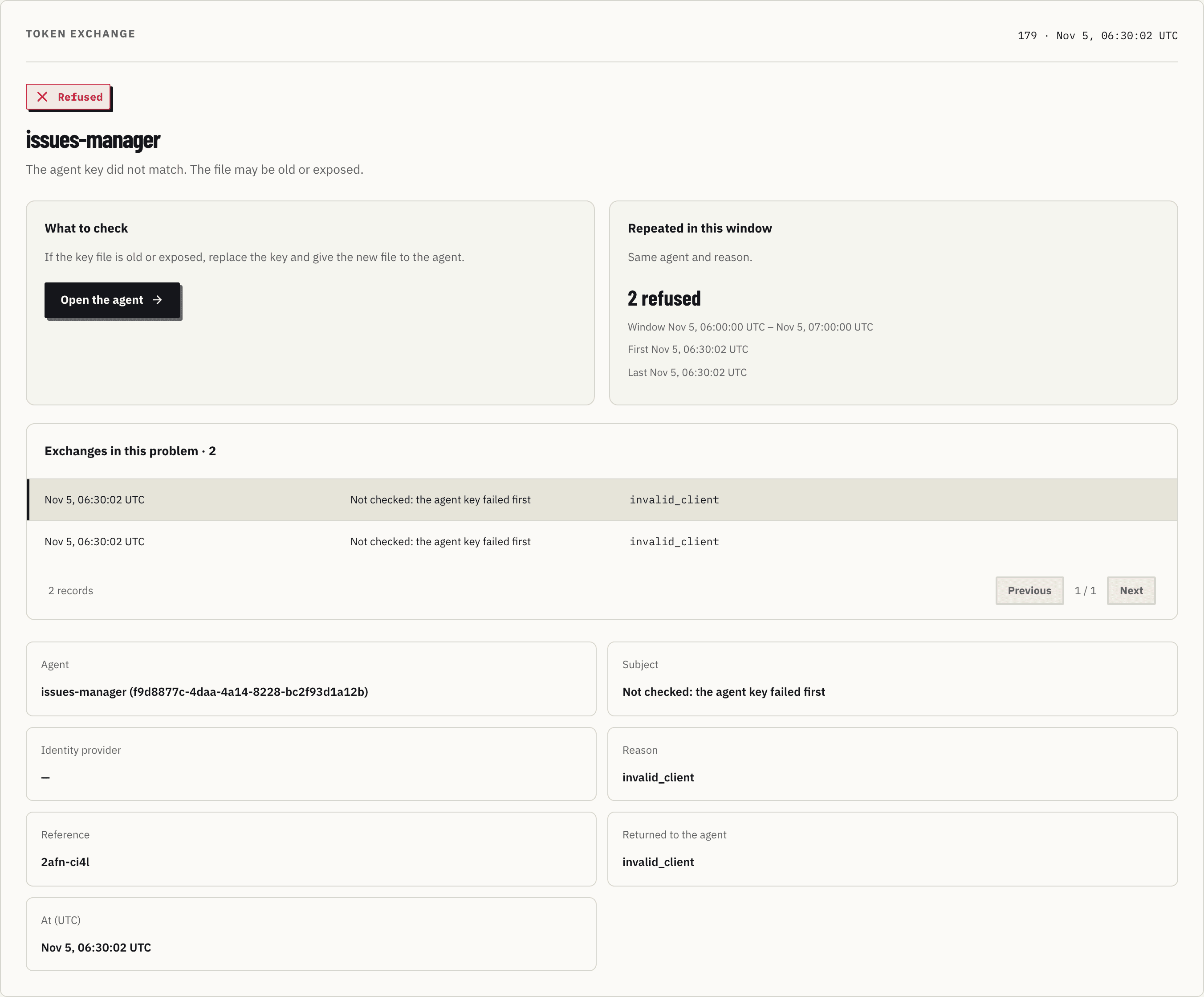
The subject appears as "Not verified: the token signature was not valid". Xokepoint records the subject only when their token signature is valid, so it never stores a name nobody proved. Open the agent identity leads to the Identity tab, where the key can be rotated.
An issued exchange
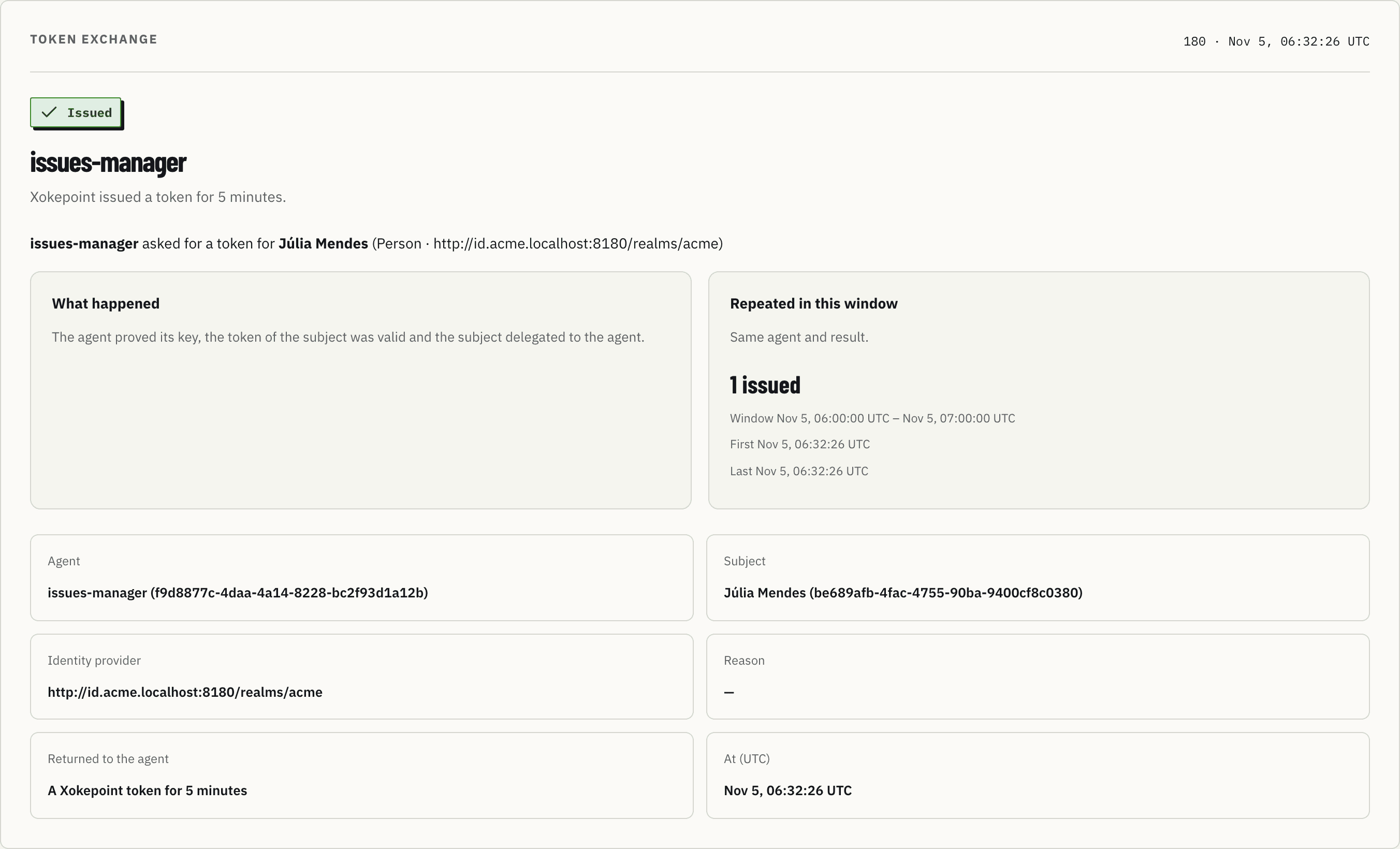
"What happened" summarizes: the agent proved its key, the subject token was valid and the subject delegated to the agent. The agent got a 5-minute Xokepoint token.
No token or assertion is recorded, in any case.
Decision inspector
The anatomy of a decision detail, the authorization path, the rule that failed, the facts and what each denial reason asks you to fix.
Events export
Send each allowed and denied call, token exchange and harness login to your SIEM or observability tool, by OTLP or by a signed webhook.