Context sources
Connect customer APIs, define the trusted attributes that rules read, and turn them on or off.
Some rules depend on data only the customer system has: the refund limit of an employee, the status of an order, the approvals of a pull request. A context source is a customer API that Xokepoint queries at call time, before checking the rules of a tool (Enrichment). What it returns becomes trusted attributes, about the subject who delegated or about the object of the call.
A rule that reads only call arguments needs no context source.
The list
Sources are in Access › Context sources:
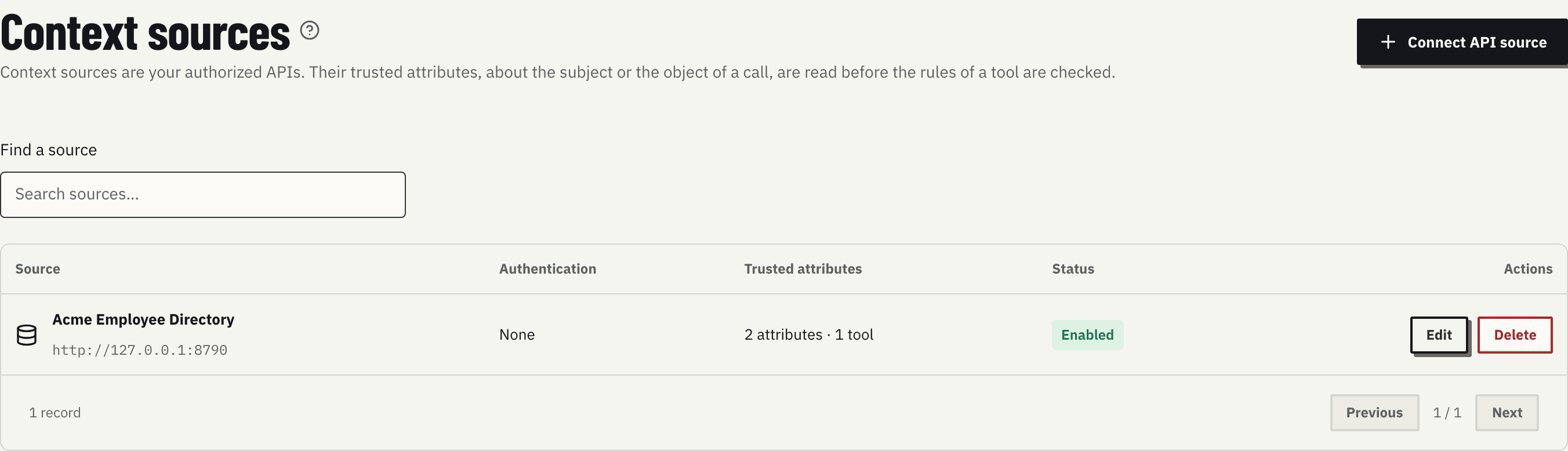
The table shows, for each source, its name and base URL, the authentication, how many trusted attributes it supplies and to how many tools, and its status (Enabled or Disabled). Edit opens the source; Delete asks for confirmation. Find a source filters by name.
The help icon next to the title sums up the guarantees: credentials stay in Xokepoint, your MCP client and your identity provider never fetch these attributes, and saving a source does not test its API.
Connect a source
Connect API source opens the Connection tab of a new source:
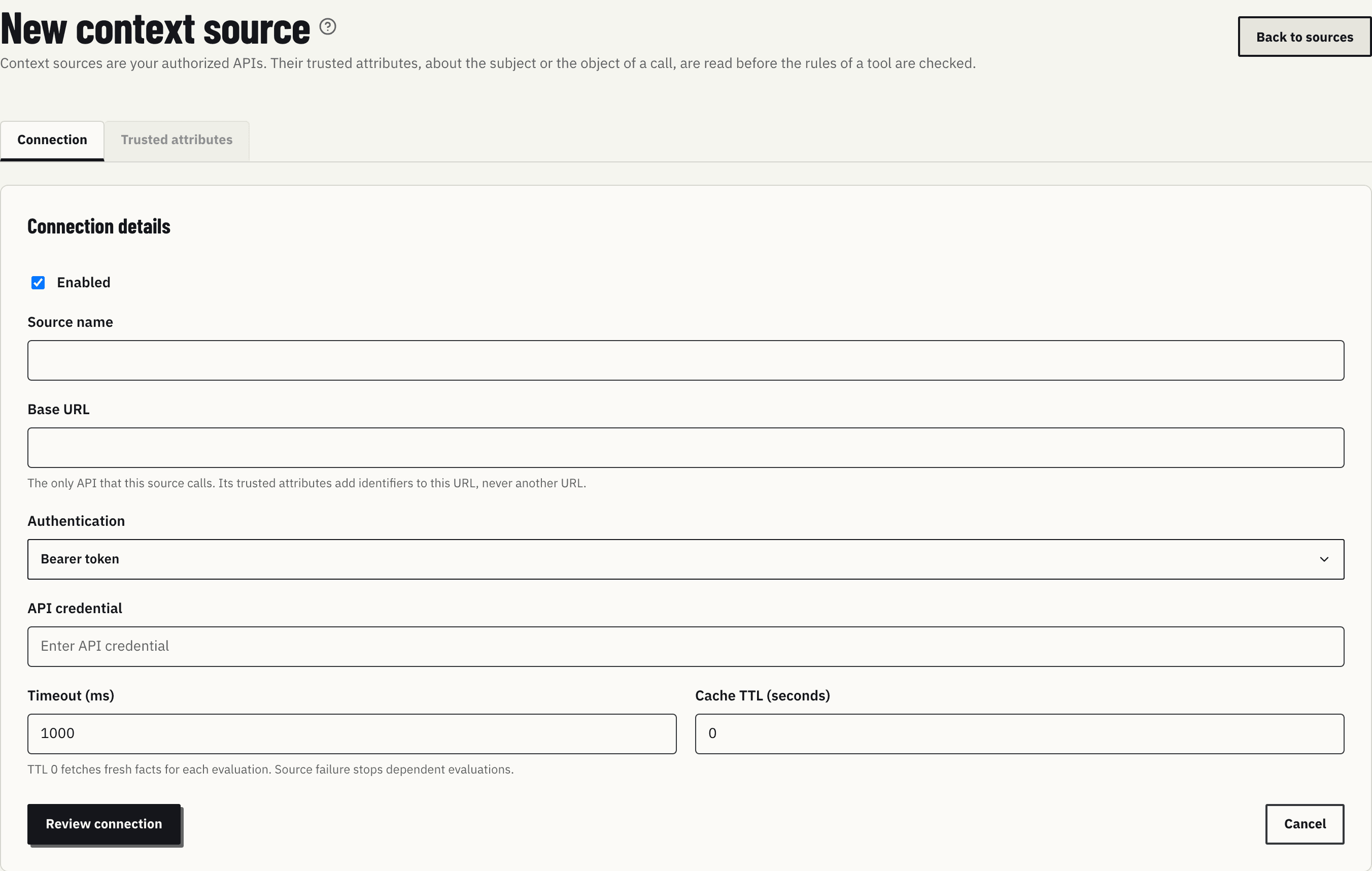
| Field | Purpose |
|---|---|
| Enabled | Whether the source is in use. A disabled source supplies nothing, and calls that need its attributes are denied |
| Source name | The name shown in the list, in the rule editor and in the graph |
| Base URL | The only API this source calls. Trusted attributes add paths and identifiers to this URL, never another URL |
| Authentication | Bearer token, API key or No authentication |
| API key header | With API key: the header that carries the key, for example X-API-Key |
| API credential | The token or key Xokepoint sends to the API. It is stored encrypted and never shown again; leave it blank on an edit to keep the saved one |
| Timeout (ms) | How long to wait for the response |
| Cache TTL (seconds) | How long to reuse a response. 0 fetches fresh data on every evaluation |
Review connection shows the destination, the authentication and the status before saving. After the first save, the Trusted attributes tab becomes available.
The agent token is never sent to the source.
Edit or delete a source
Inside a source, Connection holds the same form:
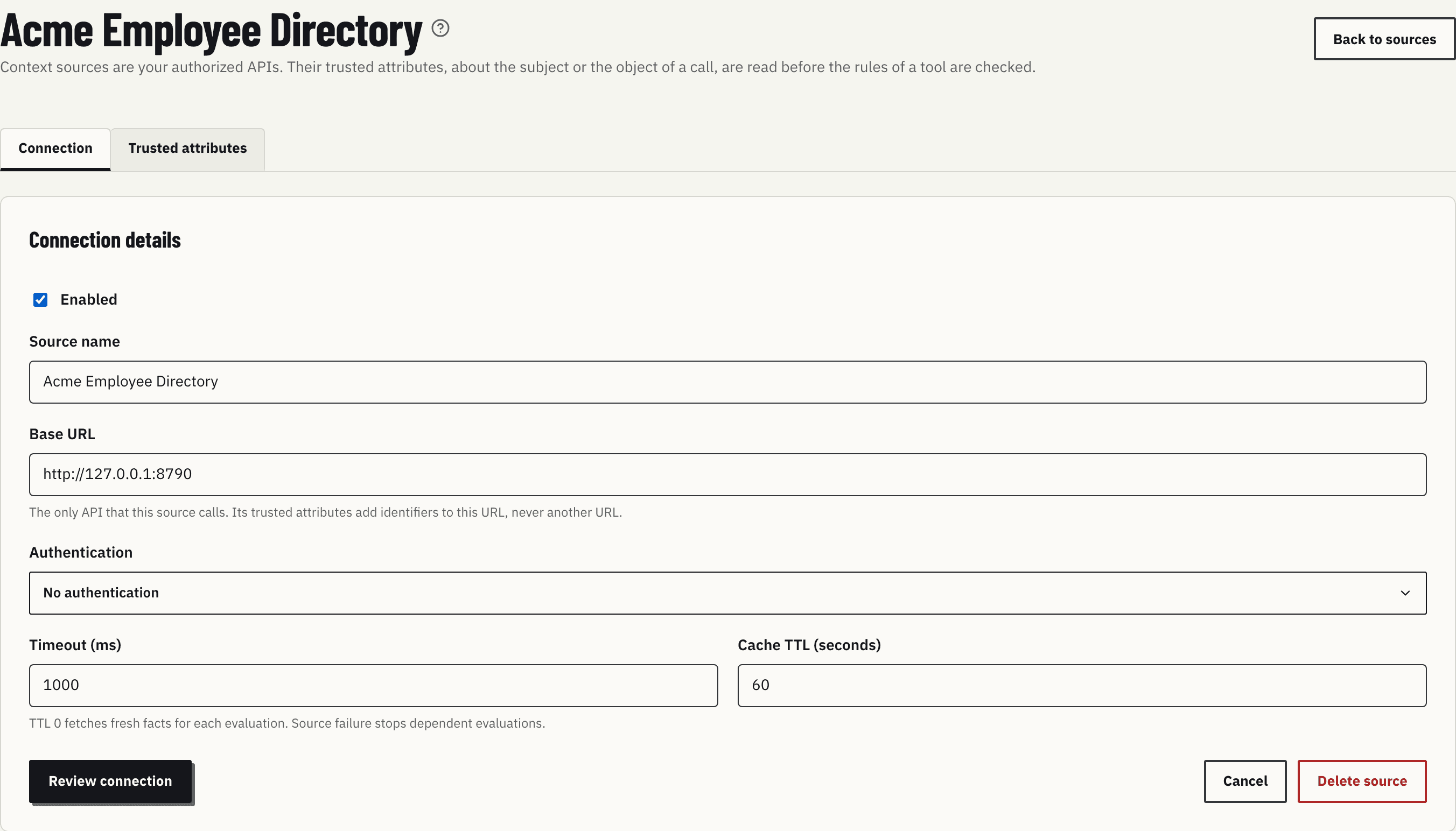
Saving a changed connection turns off the trusted attributes of the source until you turn them on again, because the same request against another API can return other data. Until then, calls that need them are denied.
Delete source, next to Cancel, asks for confirmation. When the source still supplies trusted attributes, the dialog names them: they are turned off and removed, and rules that read them deny their calls. Back to sources returns to the list.
The Trusted attributes tab
Each row is one API operation that supplies trusted attributes to one tool:
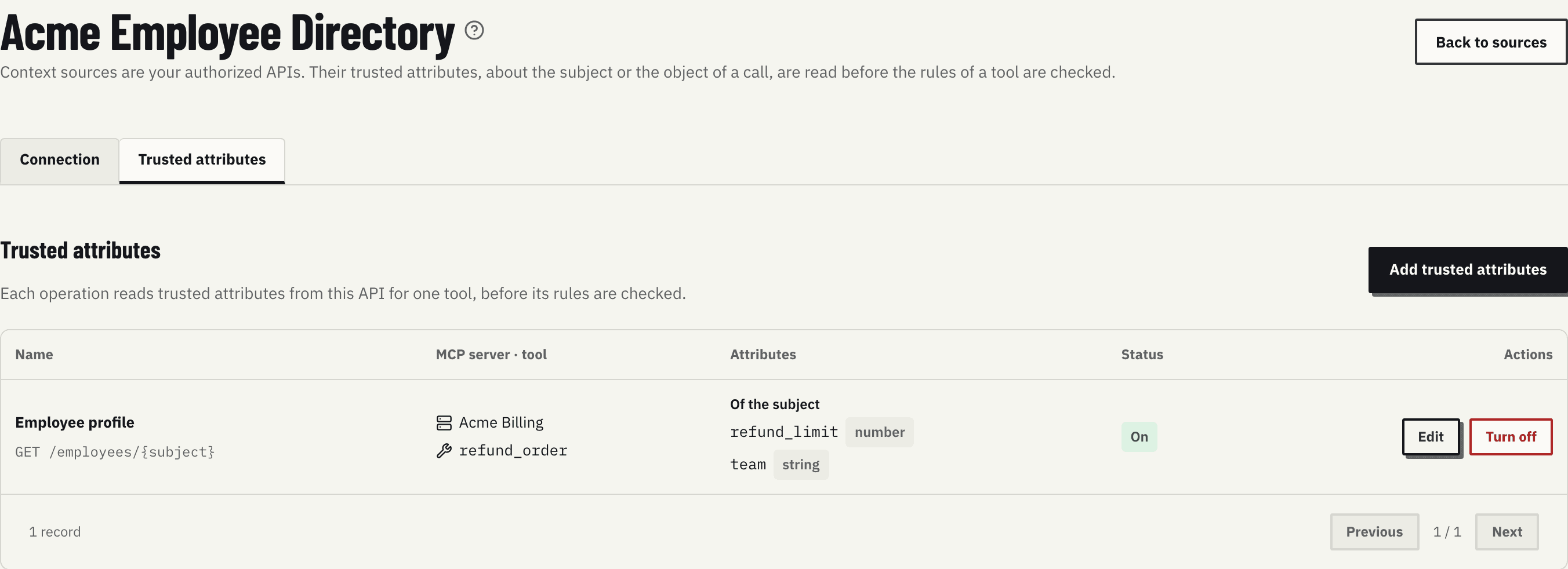
| Column | What it shows |
|---|---|
| Name | The name and the request, such as GET /employees/{subject} |
| MCP server · tool | The server and the tool whose rules can read these attributes |
| Attributes | Whether they describe the subject or the object of the call, and each attribute with its type |
| Status | On, Draft or Needs review (the connection changed after this version was turned on) |
| Actions | Edit; Turn on and Discard draft for a draft; Turn off for attributes that are on |
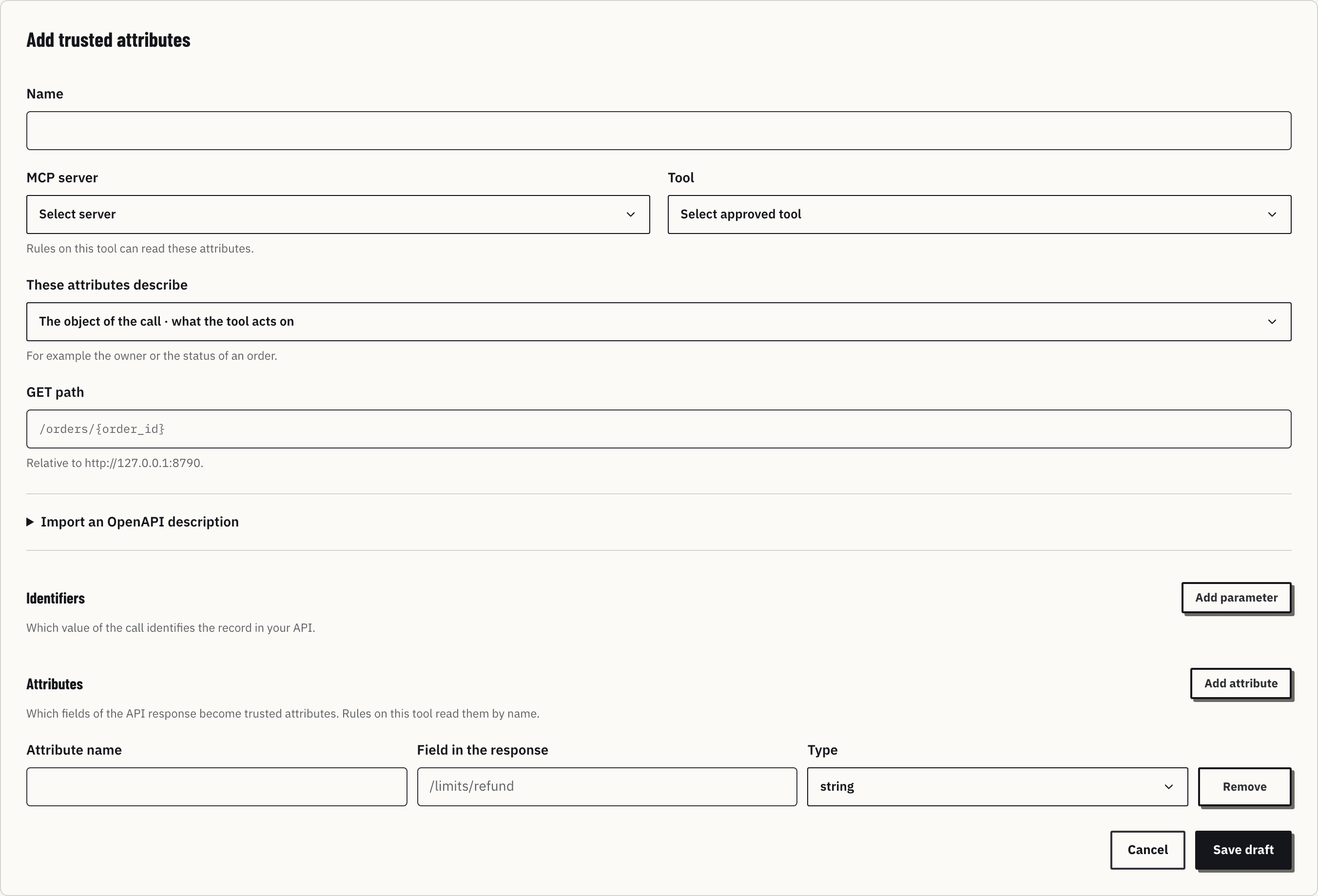
Add trusted attributes opens the editor. When you arrive from the tool panel of an agent, a banner names the agent and the tool, and Back to returns to that panel (Tools).
The editor
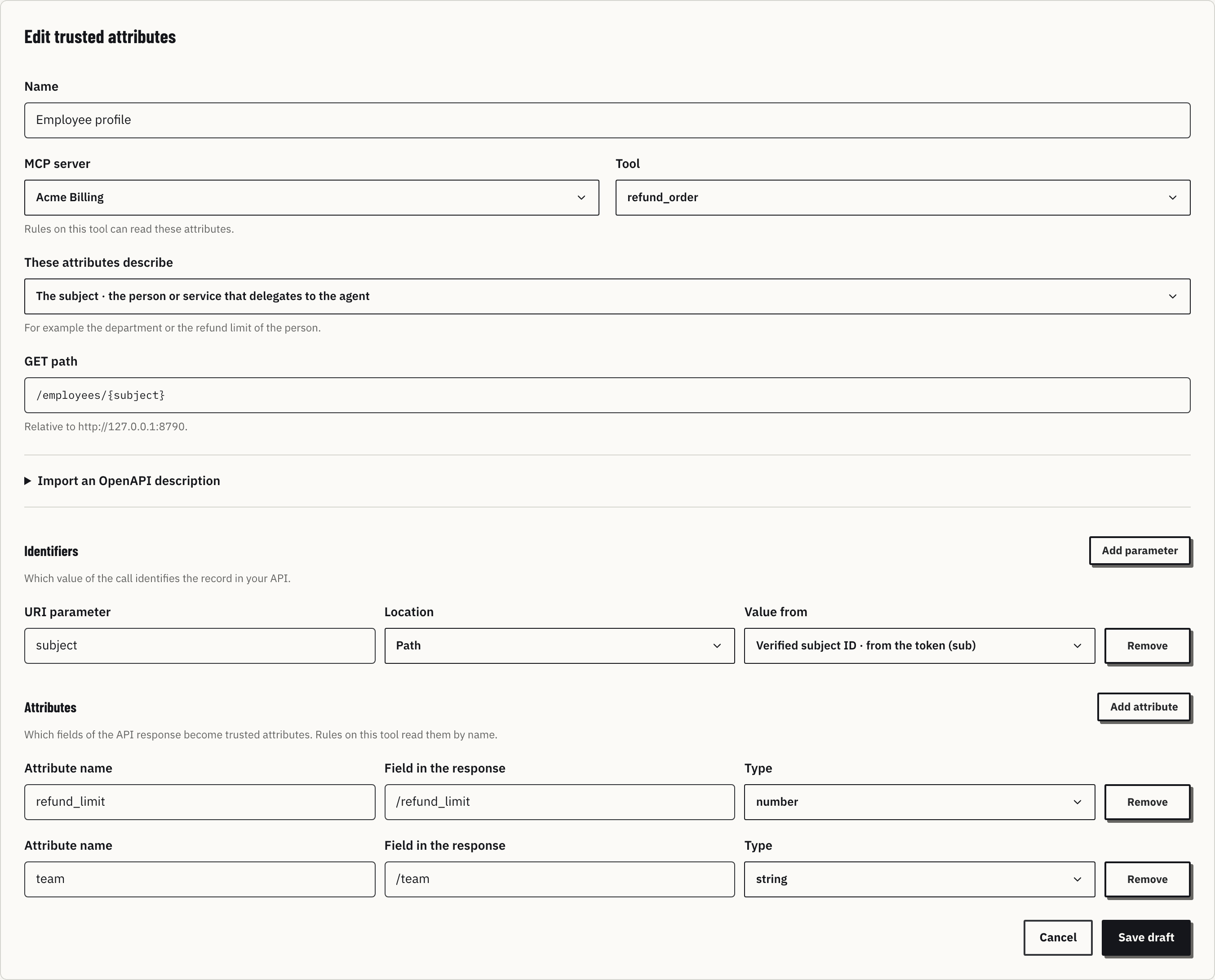
| Field | Purpose |
|---|---|
| Name | The name shown in the list and next to each attribute in the rule editor |
| MCP server and Tool | The tool whose rules can read these attributes. Only reviewed tools appear |
| These attributes describe | The subject, the person or service that delegates to the agent, such as the department or the refund limit; or the object of the call, what the tool acts on, such as an order |
| GET path | The path relative to the base URL, with each identifier in braces: /employees/{subject} |
| Import an OpenAPI description | Fills the path and identifiers from an operation of an OpenAPI 3 document |
Identifiers says which value of the call identifies the record in your API. Each line has a URI parameter, its Location (Path or Query) and Value from:
| Value from | Where the value comes from |
|---|---|
| Verified subject ID | The sub of the verified token |
| Verified issuer | The iss of the verified token |
| Tool argument | An argument of the call, by its pointer in the arguments |
Values come only from the verified token and the call. A request cannot carry a value typed by a person or sent by the agent outside its arguments.
Attributes says which fields of the response become trusted attributes. Each line has an Attribute name, the Field in the response as a JSON pointer (/refund_limit) and a Type (string, number or boolean). Rules on the tool read the attribute by its name.
Save draft stores a draft; nothing changes in calls yet.
Turn on and turn off
Turn on opens a dialog that says what the draft reads, such as "Reads refund_limit, team about the subject of refund_order, with GET /employees/{subject}". From the next call, rules on that tool can read them. A new version replaces the one that is on. The source must be enabled, and a draft saved before a connection change must be saved again.
Only attributes that are on appear in the rule editor, grouped by source: subject.refund_limit · number — Acme Employee Directory / Employee profile.
Turn off lists the published rules that read the attributes. Those rules deny every call until the attributes are on again or the rules change. If the list cannot be loaded, the dialog says so instead of showing an empty list.
When the API fails
If the API does not answer or times out, the call is blocked, not allowed. Xokepoint caches API responses for the configured time, never authorization results.