Rules
Rules on call data, the rule editor, lists of exact values, comparison with trusted attributes and CEL editing.
The third question is whether the data of this call meets the customer's conditions. Relations say whether the agent can; rules say when. "Can refund, but only up to the limit of the employee who asked" is a rule, and so is "only for orders 1001 and 1002".
Where rules live
A rule always belongs to an agent · server · tool link. Never to a person and never to a value. The rule describes what the agent can do with that tool, and it is the same for everyone who delegates to it and for every instance of the agent.
A link can have several rules, and every rule must pass. Several rules give the same result as one rule whose conditions are all joined by AND; keeping them apart lets the deny name the rule that failed and lets you remove one part alone.
The rule editor
In the tool panel, Add rule opens the editor. Nobody needs to write CEL:
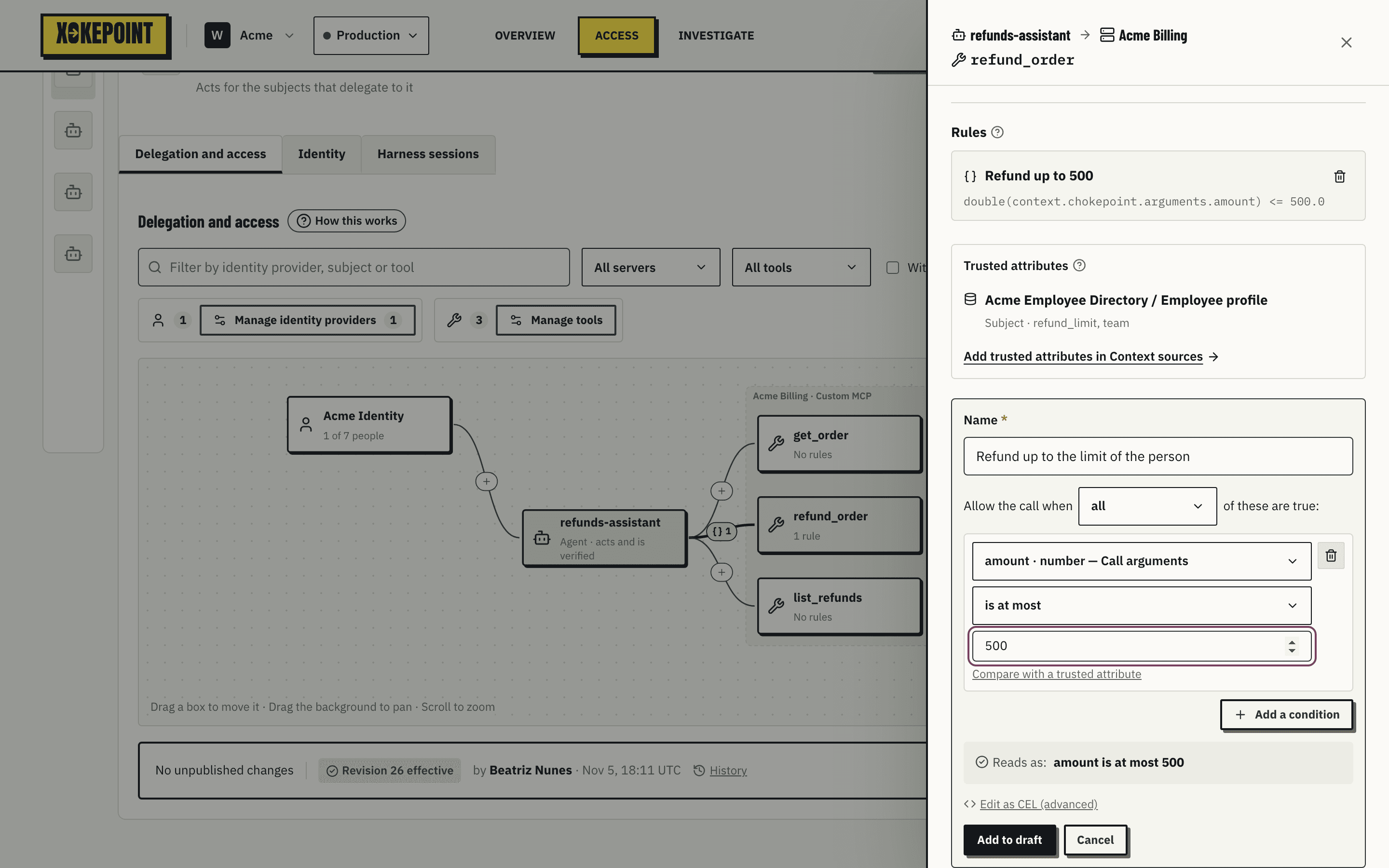
- Name comes first and is required. It is shown in the graph, the panel and Investigate.
- Allow the call when all / any of these are true: every condition must pass, or one is enough.
- Each line is a condition, with a field, an operator and a value. Add a condition adds a line; the trash icon removes it.
Fields come from two places, and each shows its type and origin:
- Call arguments: the tool arguments, read from its schema, such as
amount · number — Call arguments. - Trusted attributes: the attributes that the context sources of this tool supply, grouped by source, such as
subject.refund_limit · number — Acme Employee Directory / Employee profile.
Operators depend on the field type:
| Type | Operators |
|---|---|
| Text | is, is not, is one of, starts with |
| Number | is at most, is less than, is at least, is more than, is |
| Boolean | is true, is false (no value) |
Reads as shows the rule as one sentence, joining the conditions with AND or OR: "amount is at most 500 AND order_id is one of [1001, 1002]".
Lists of exact values
is one of takes a list, edited as one: each value appears between the brackets with a remove mark, Enter or a comma adds the value you typed, and a pasted list adds all its values. A rule such as "order_id is one of [1001, 1002]" lets the agent act only on those orders; any other value is denied with condition.
For a rule that depends on who owns a record rather than on a fixed list, compare the argument with a trusted attribute instead, as below.
Compare with a trusted attribute
A condition can compare a field with a trusted attribute of the same type. Compare with a trusted attribute replaces the fixed value with a selector of trusted attributes; it appears only when the tool has one of that type. A condition never compares two call arguments.
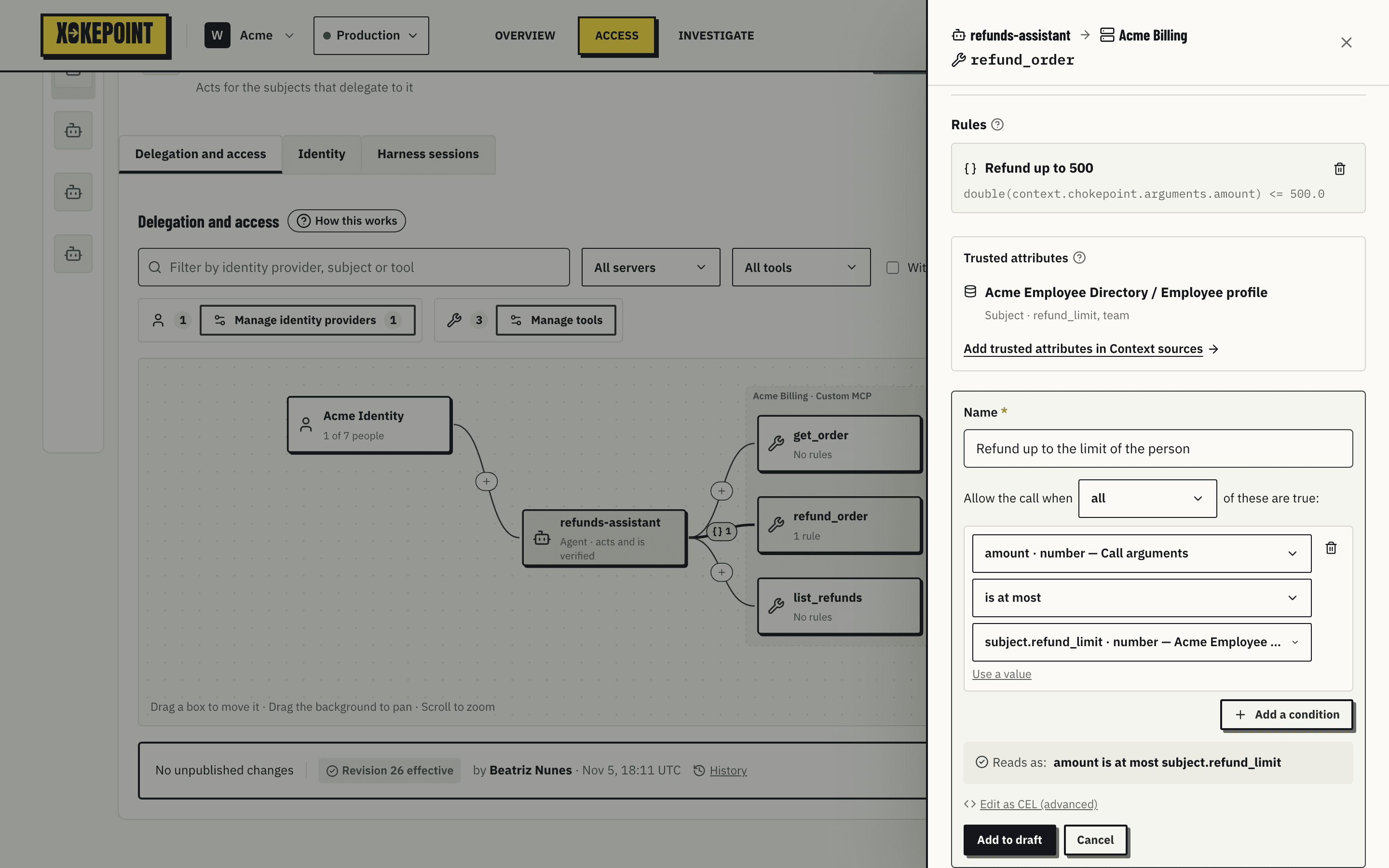
This rule lets a refund through only when the requested amount is at most the limit of the person who delegated. The limit comes from the HR API, through the Employee profile trusted attributes, at call time:
context.chokepoint.arguments["amount"] <= subject.properties.chokepoint["<binding>"].values["refund_limit"]Same agent, same tool, same rule: an analyst with a limit of 200 and a manager with a limit of 2,000 get different results for the same request, and nobody had to create separate agents. If the HR API does not answer, the call is blocked, not allowed (Enrichment).
Use a value returns to a fixed value.
Rules on the object of the call
Trusted attributes can also describe what the tool acts on. A rule on refund_order can read the order from the customer's order API and allow the refund only for an open order of the person who asked:
resource.properties.chokepoint["<binding>"].values["status"] == "open"
  && resource.properties.chokepoint["<binding>"].values["owner_id"] == subject.id
Edit as CEL
Whoever needs something the editor cannot express uses Edit as CEL (advanced):
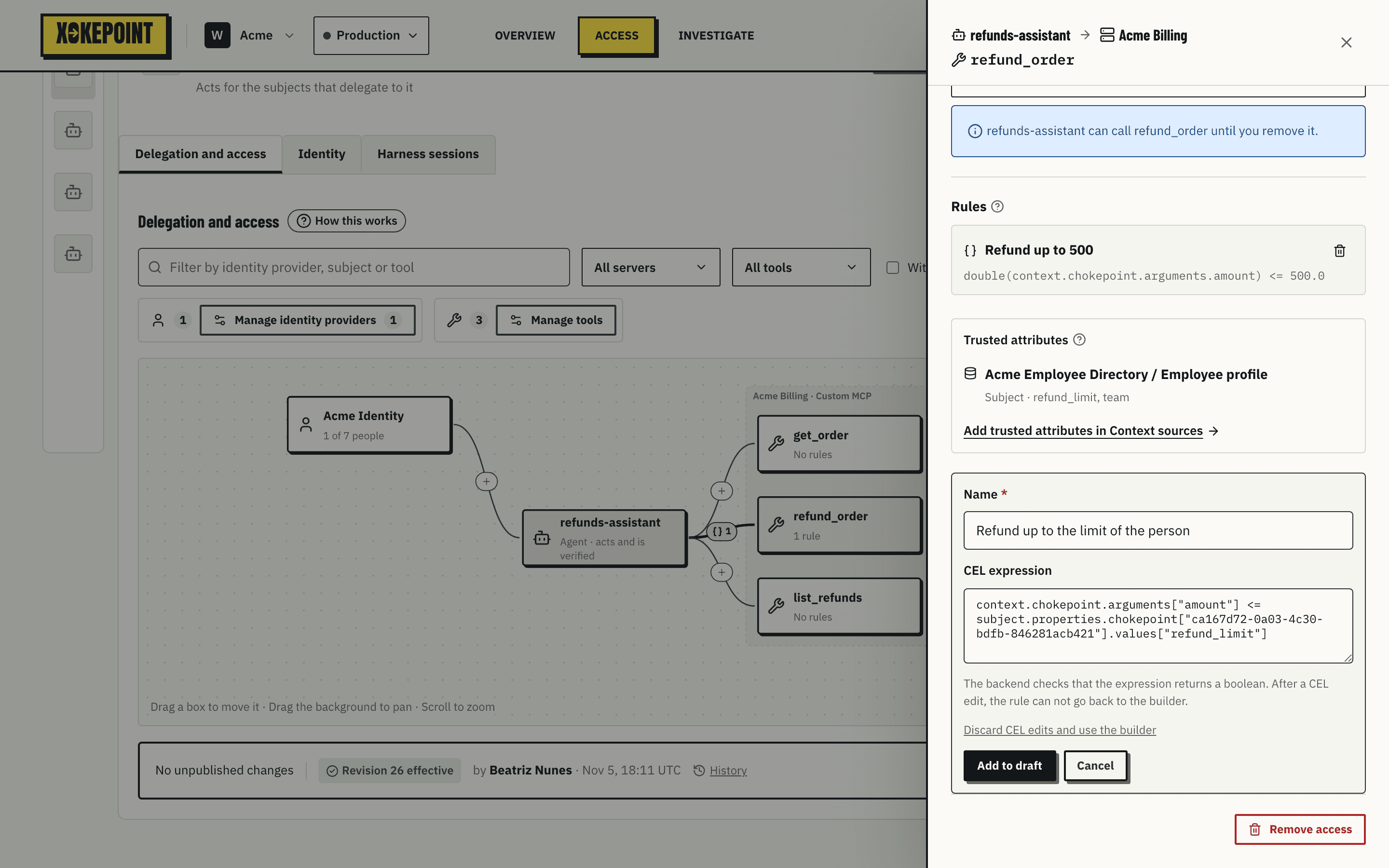
The CEL expression field takes the expression. The backend checks that it returns a boolean and that the trusted attributes it reads exist; the Admin does not compile CEL. After a CEL edit, the rule does not go back to the editor. Discard CEL edits and use the builder discards the edit.
Save
Add to draft adds the rule to the draft. The card of the rule shows New in draft, and the link gets the {} N mark in the graph. When the rule reads trusted attributes, the graph draws a dashed link from the tool to the context source. The rule applies only after you publish. A saved rule is not edited: remove it and add another.
In the panel, each saved rule shows its name and Reads as with its sentence. A rule written in advanced CEL, or in any CEL that the builder does not write, shows its CEL instead.
What Investigate shows about a rule
When a rule denies, the Investigate list shows "Rule not met" and the rule as a sentence, and the decision inspector shows its name in the path and "Rule not met: amount is at most 500" in the result, but never the evaluated values. The record says "Refund up to 500" failed; it does not store the amount of the call.