Publish and disable
The draft, the publication bar, the effective and pending states, the published revision, the revision history and the agent kill switch.
Every edit in the graph, the list or the panels changes the agent draft. Calls keep using the published revision until the next publication. That lets you build a large change calmly, review it and only then apply it.
The publication bar
The bar sits at the bottom of the editor, visible in the graph, the list and full screen. On the left, the draft state and the runtime state. On the right, the actions.
Without changes, the bar says "No unpublished changes" and shows the revision that applies now:
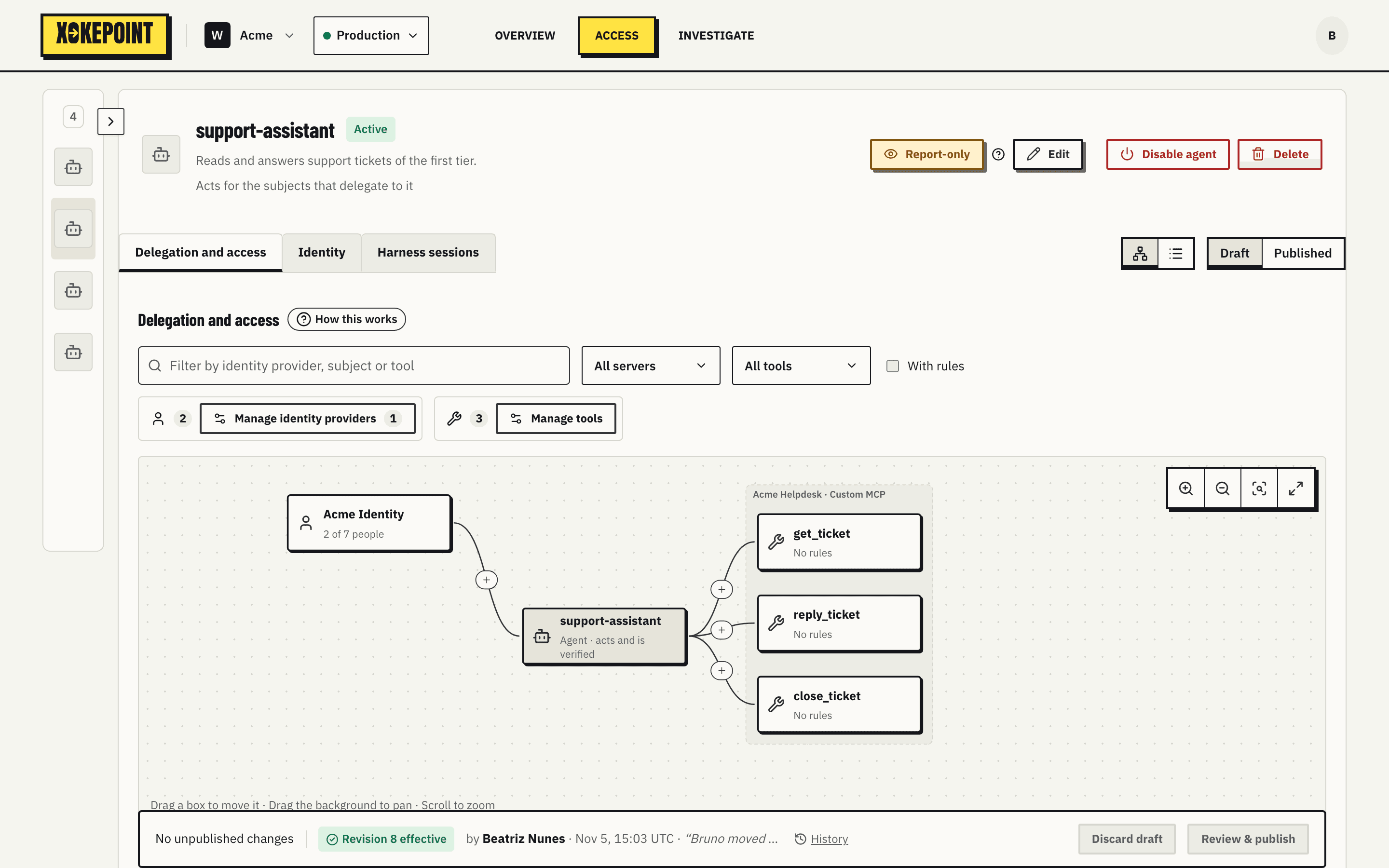
After an edit, it counts the changes and enables the actions:

- Discard draft throws the draft away and returns to the published revision.
- Review & publish shows what changes and publishes.
Effective and pending
Publishing stores the new revision in PostgreSQL and writes the relations to OpenFGA. Until OpenFGA confirms, the revision is pending, and the previous one still applies:

Publication checks everything before accepting: trusted providers, reviewed tools, trusted attributes that are on, and the existence of each subject in its provider. A broken reference blocks publication.
A failure midway never opens access: removals are applied before additions, and a background reconciler finishes the work on its own. That is why there is no repair button and no OpenFGA detail on screen (Publication and reconciliation).
View the published revision
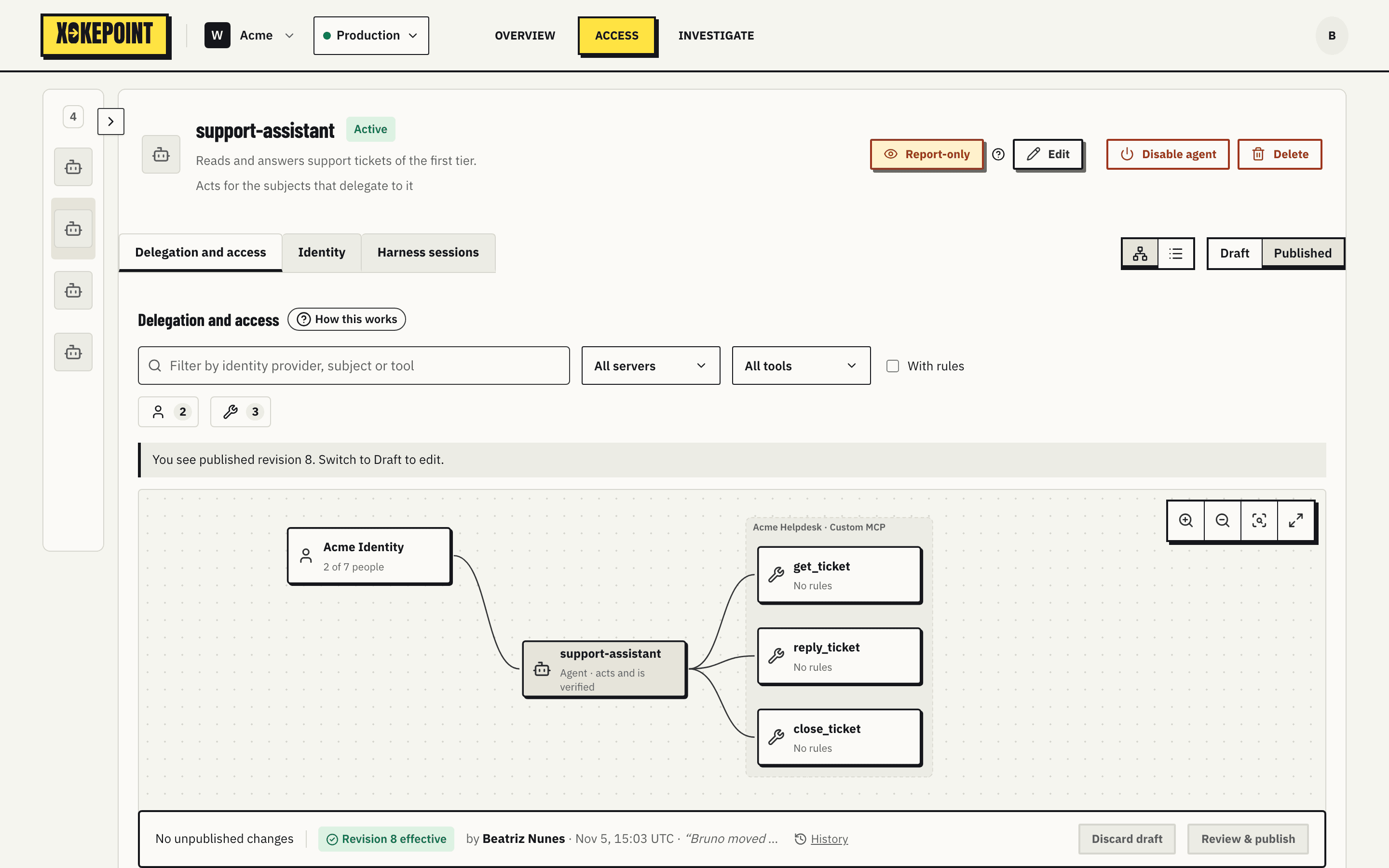
Published, in the toolbar, shows the revision that applies now, read only. It is how you compare the draft with what is in production before publishing.
Revision history
Every publication and every revocation is kept as a revision with its author, its time, its note and the full permission document. Every switch between Enforce and Report-only is kept too, as an event. Nothing in the history is ever edited or deleted, also after the agent is deleted.
History, on the publication bar, opens it in a side panel. So does the author of the latest revision on the bar, the History link of the Report-only notice, and the permission revision of a call in the decision inspector, which opens the revision that applied to that call.
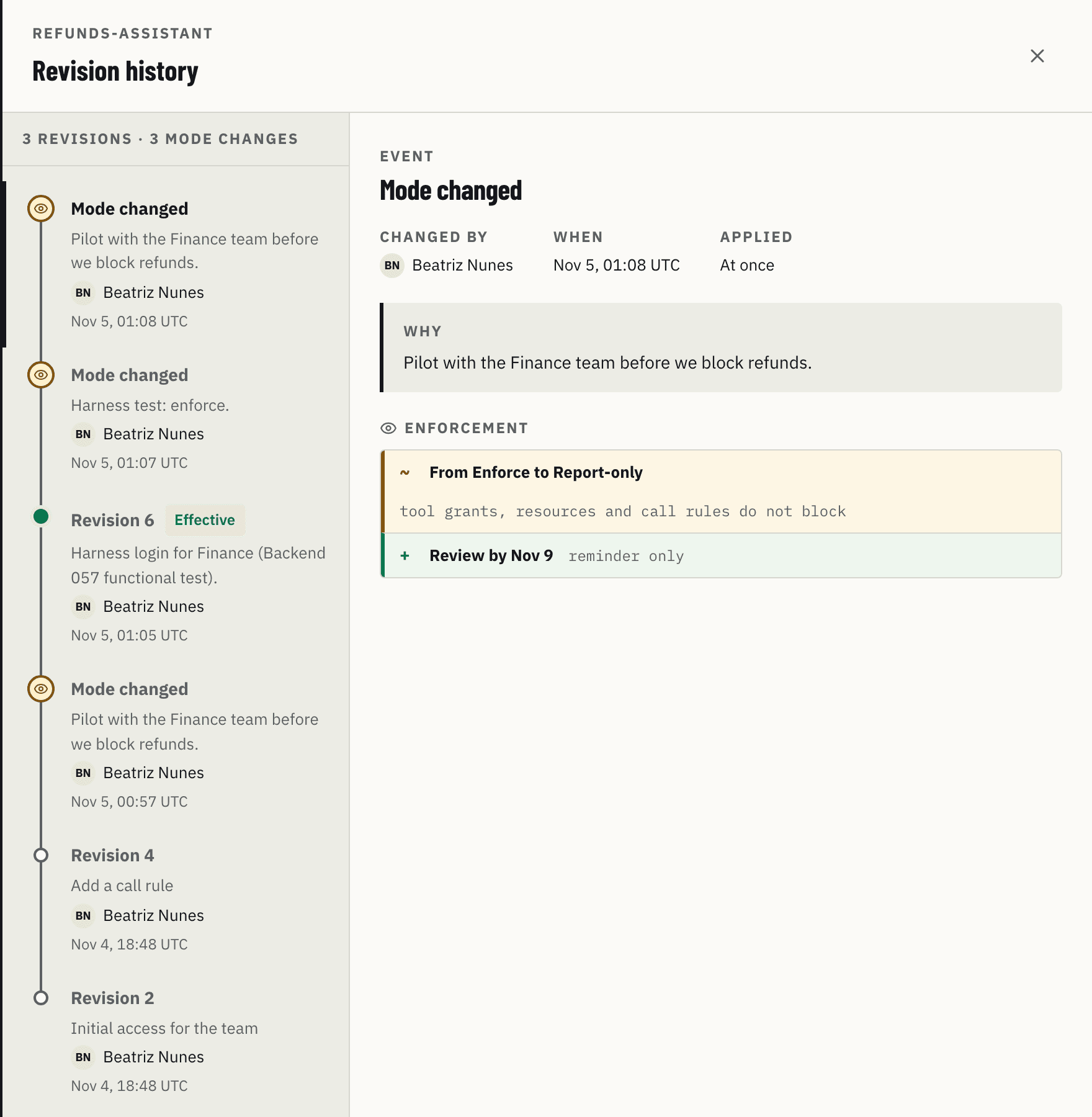
The timeline on the left lists revisions and mode changes, newest first, with the note, the author and the time in UTC. A bar marks the selected entry; a mode change has an eye in place of the dot. On the right:
- a revision shows what it added, removed or changed from the revision before it, grouped by who can delegate, servers and tools, and rules;
- a mode change shows who changed it, when, the note, the change from one mode to the other and the review date. It applied at once, with no publication.
Disable the agent
Disable agent, in the header, is the kill switch. It asks for confirmation ("It gets no token, and its next call is rejected.") and does not depend on draft or publication: once confirmed, it applies at once. Enable agent turns it back on without a confirmation.
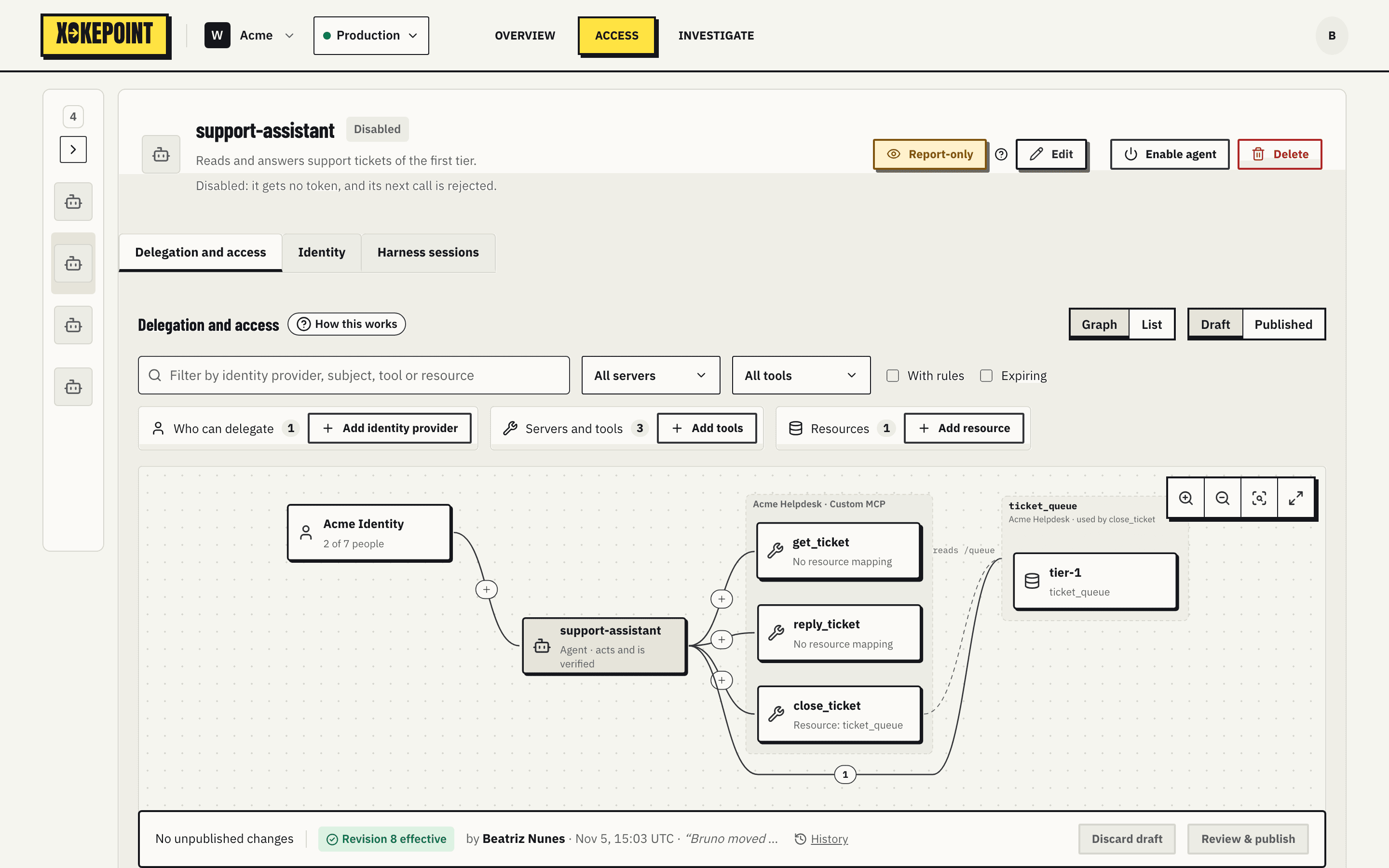
A disabled agent:
- gets no new token in the token exchange;
- has its next call refused, even with a token still valid;
- shows the Disabled state and a faded graph.
The configuration and the key are kept. Enable agent restores the agent exactly as it was. Use it when an agent behaves unexpectedly, when its key may have leaked or when the team needs time to investigate.