Tools
The tools the agent can call, per server, the expiration of each and the panel of the agent · server · tool link.
The second question is whether the agent can call that tool of that server. The Servers and tools column answers it. Each tool is a relation of its own: being able to call one GitHub tool gives no access to any other, nor to tools the server publishes later.
The tool panel
Clicking a tool, or the link from the agent to it, opens the agent's most important panel, because that is where rules live:
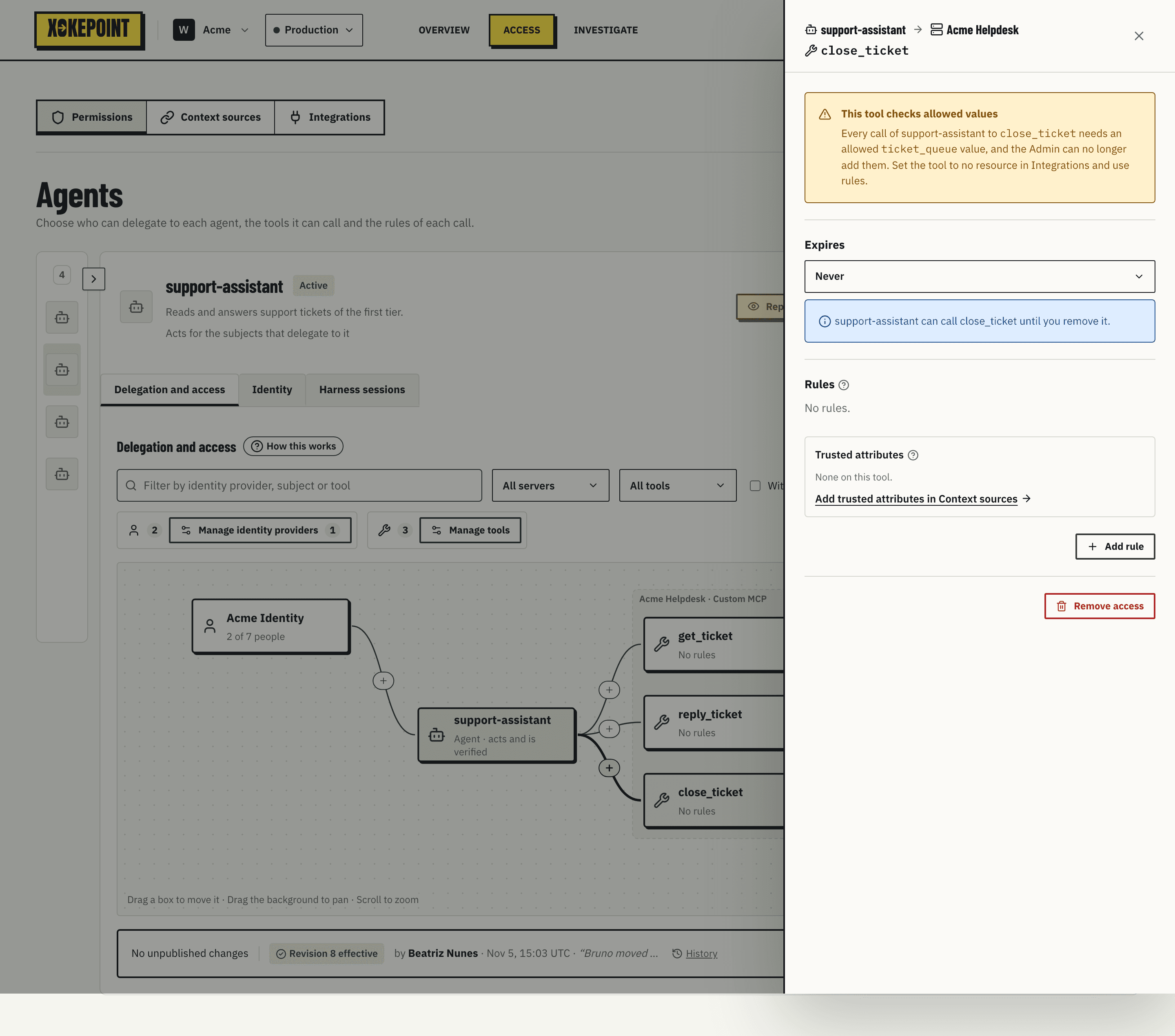
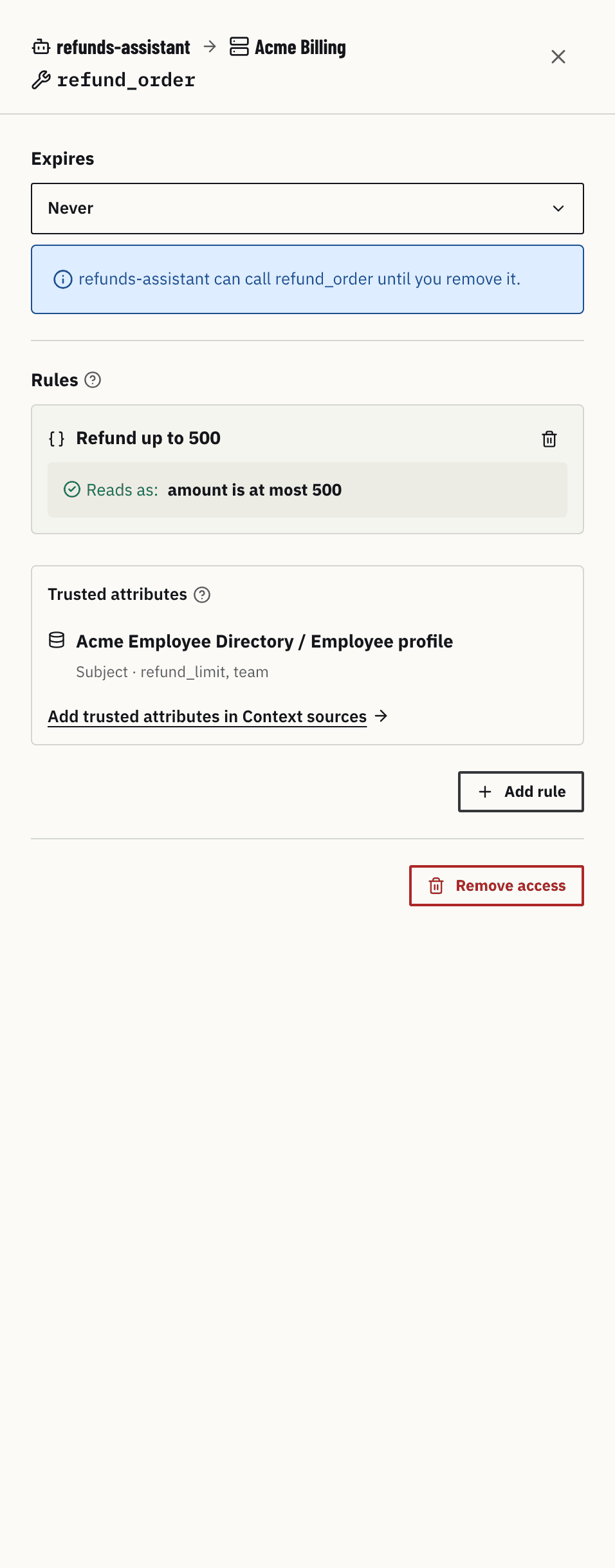
The title is the path of the link: the agent and the server on the first line, the tool on the second ("refunds-assistant → Acme Billing", then refund_order). Below it, the panel has three parts:
| Part | What it shows |
|---|---|
| Expires | Never or On a date. Choosing a date opens the calendar at once. A note says what happens: "refunds-assistant can call refund_order until you remove it", or that after the day the agent can no longer call the tool and its calls are denied |
| Rules | The rules of this link, each with its name and Reads as with its sentence (a rule in advanced CEL shows its CEL). A rule that is not published yet shows New in draft. Below the rules, the Trusted attributes that they can read from your context sources, and the link Add trusted attributes in Context sources → |
| Footer | Remove access, which asks for confirmation |
A rule on this link does not affect another tool or another agent. Add rule opens the rule editor (Rules).
The link to Context sources carries the agent and the tool. That page shows a banner, "Adding trusted attributes for refunds-assistant · refund_order", and Back to refunds-assistant · refund_order opens this panel again.
Remove access takes the tool away from this agent only: the agent can no longer call it, and the rules of this link are removed. The tool stays on its server for other agents. The change goes into the draft.
Manage tools
Manage tools, in the section bar, lists the reviewed tools, per server:
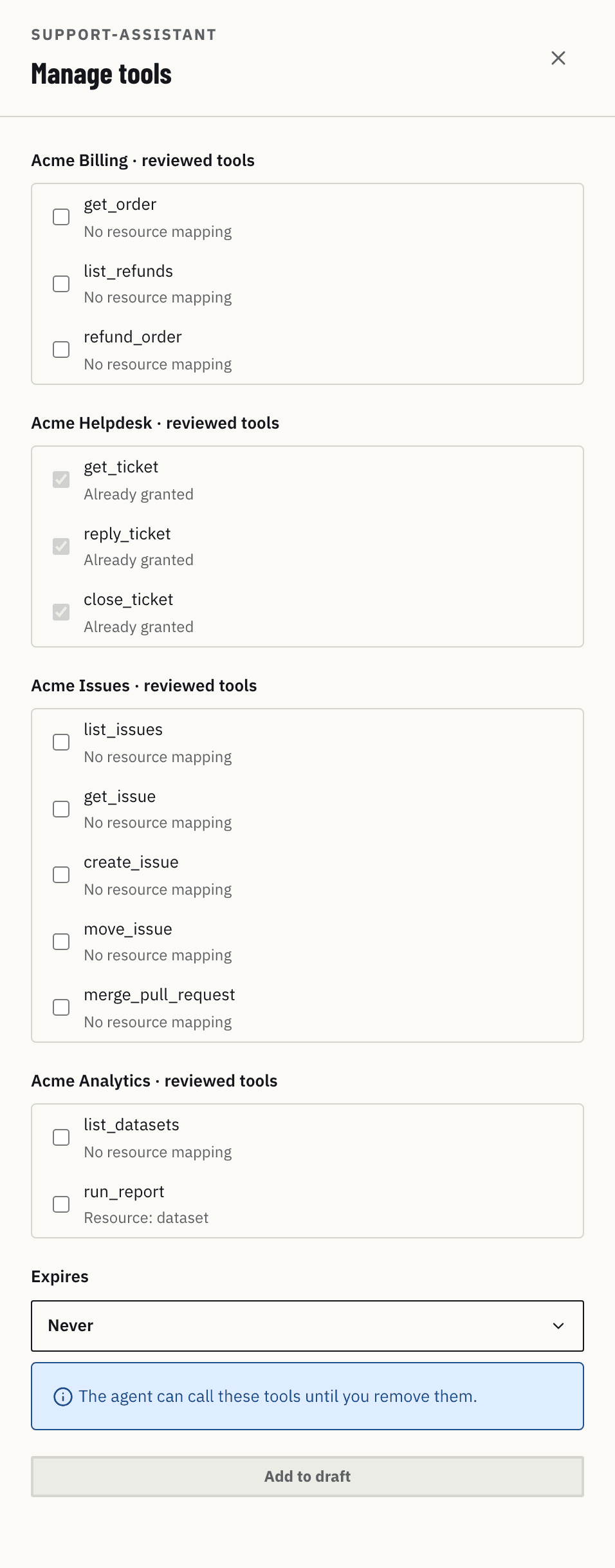
Already granted tools appear checked and disabled, with "Already granted". Below, Expires applies to all checked tools at once, and Add N to draft adds them. To take a tool away, open it and use Remove access.
A tool that did not go through review does not appear here. That keeps a new server tool from entering an agent without anyone looking at its schema.
Tool expiration
Expiration is useful for time-bound access: an agent that can issue refunds until the end of a campaign, a tool enabled during a migration. When the date passes, OpenFGA stops considering the relation, and the next call is denied with no_grant. The clock mark in the graph shows these links.