Investigate
The By problem, All decisions and Token exchanges views, search, filters and how to open the detail of each row.
Investigate answers the question that follows every denial: why? It lists the environment's decisions and token exchanges, and each row opens an inspector with the step that decided and the fix.
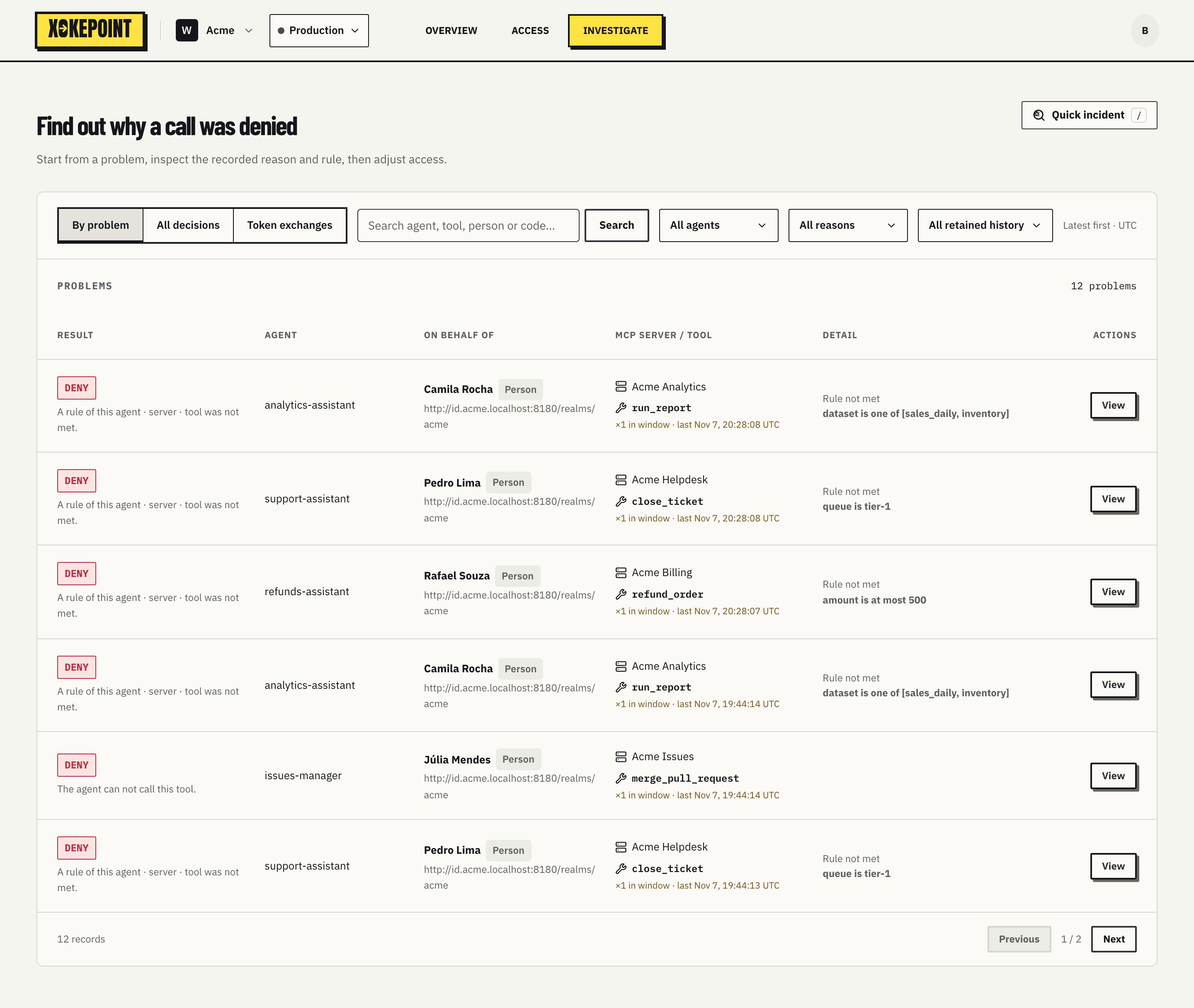
At the top sit the Inbox token exchange signals. Below, the list.
Quick incident
Every refusal that Xokepoint records has a Reference code, such as k3f7-x2ab. The person or the developer who was refused sees it: on the refused login page, in the error of a denied tool call, in the error_description of a refused token exchange. Quick incident goes from that code to the refusal in one step.
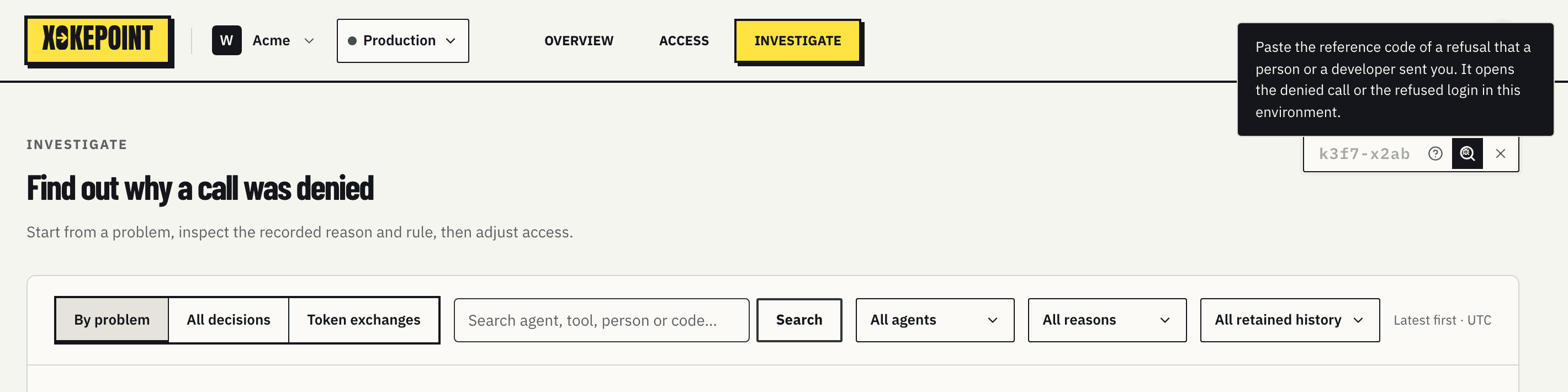
- On Overview, Access or Investigate, click Quick incident, at the top right of the page, or press
/. - Paste the code. Upper case and a missing dash are accepted.
- Press Enter. The inspector of the denied call or of the refused exchange opens.
Quick incident looks in the current environment. A refused login page names the workspace and the environment with its code; choose that environment first. When nothing is found, the code is from another environment, it was typed wrong, or it is older than the retained history. Rarely, a refusal is not stored because the record buffer was full; its code then finds nothing too.
A link with ?incident=<code> at the end of an Investigate address opens the same refusal, for example in a ticket.
The three views
By problem groups identical denials: same agent, same subject, same tool and same reason. Each row shows the count in the window ("×4 in window · last 14:22 UTC"). It is the view to start with: ten identical denials become one problem.
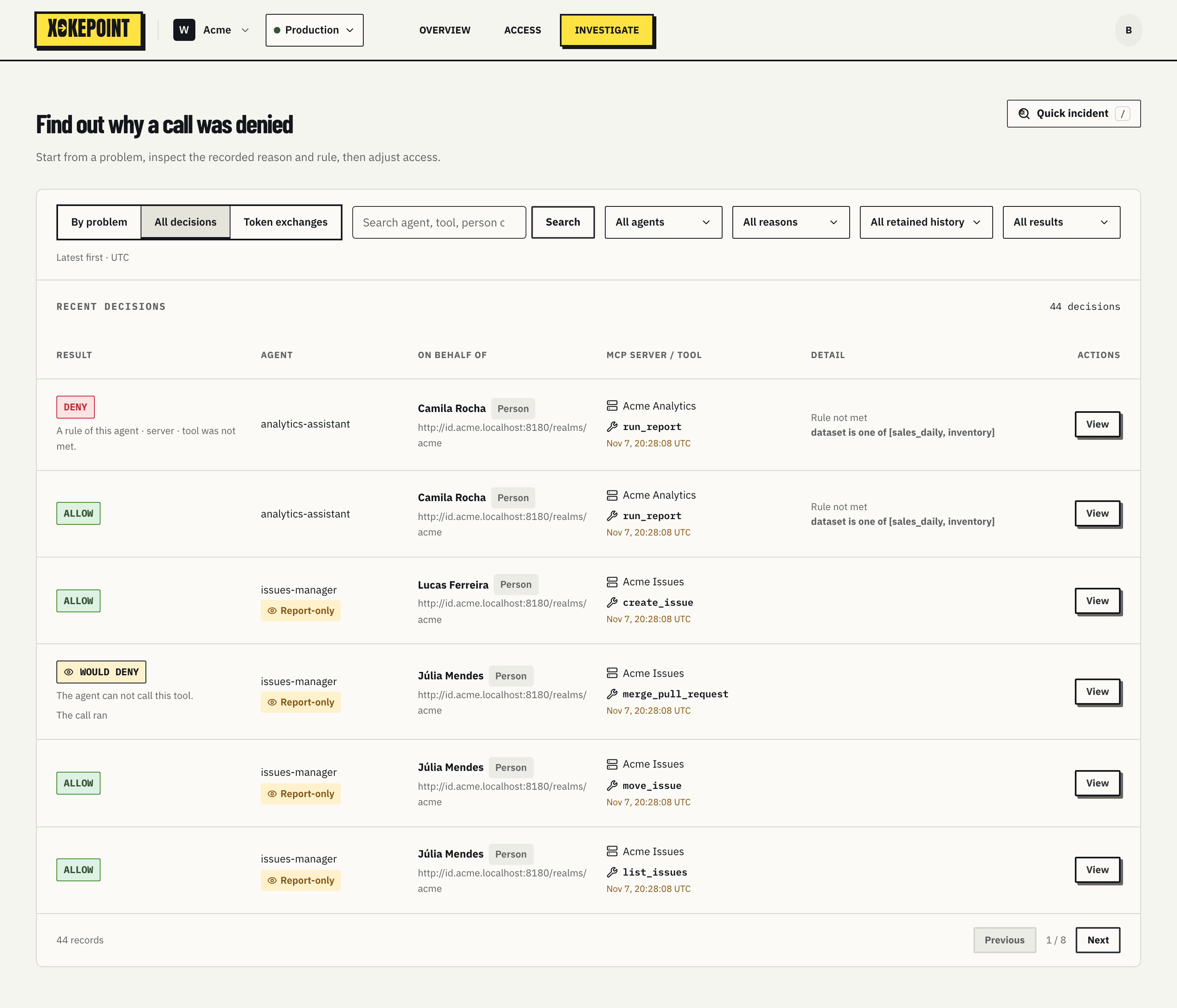
All decisions lists each call, allowed, denied or would deny:
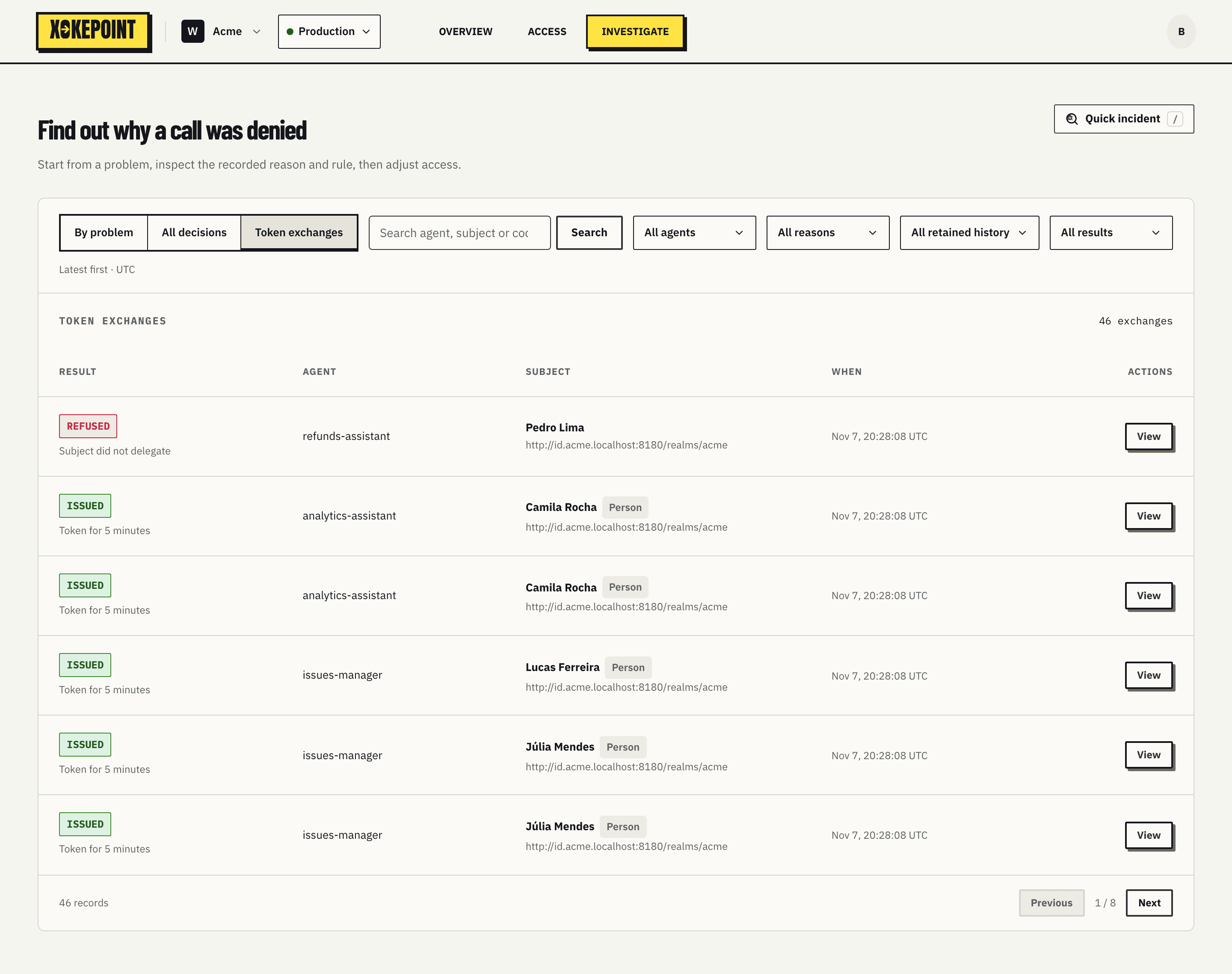
Token exchanges lists each token exchange, issued or refused:
Decision columns
| Column | What it shows |
|---|---|
| Result | ALLOW, DENY or WOULD DENY, and the denial reason in one sentence. A would-deny row also says "The call ran" |
| Agent | The verified agent, and the Report-only chip when the agent was in Report-only at that time. A second line appears only for a deleted agent or an agent not found |
| On behalf of | The person or service the agent acted for, with the Person or Service chip and the provider |
| MCP server / tool | The server and the tool, each with its icon, and the time (or the count in the window, in By problem) |
| Detail | For a call that did not meet a rule, "Rule not met" and the rule as the rule builder reads it, such as "amount is at most 500". A rule that can not be read as a sentence, such as one written in advanced CEL, shows its CEL. Empty for other rows |
| Actions | View, which opens the inspector |
Token exchange columns
| Column | What it shows |
|---|---|
| Result | ISSUED or REFUSED, and the short reason, such as "Subject token expired" or "Agent key did not match" |
| Agent | The agent that asked for the token |
| Subject | The subject, when their token signature was valid; otherwise, "Not verified" |
| When | The time, or the count in the window |
| Actions | View, which opens the inspector |
Search and filters
Search looks up agent, subject, server, tool, checked value or the Reference code of a denied call; for exchanges, agent, subject, provider or the Reference code of a refusal. To open one refusal by its code, use Quick incident. All agents filters by agent, and All reasons filters by reason: the five decision reasons or the thirteen token exchange reasons, harness login reasons included.
Would deny
The result filter of All decisions has a fourth option, Would deny: the calls of an agent in Report-only that its policy denies and that ran. Their chip is dashed, in the Report-only colors. View report, in the Report-only banner, opens this list.
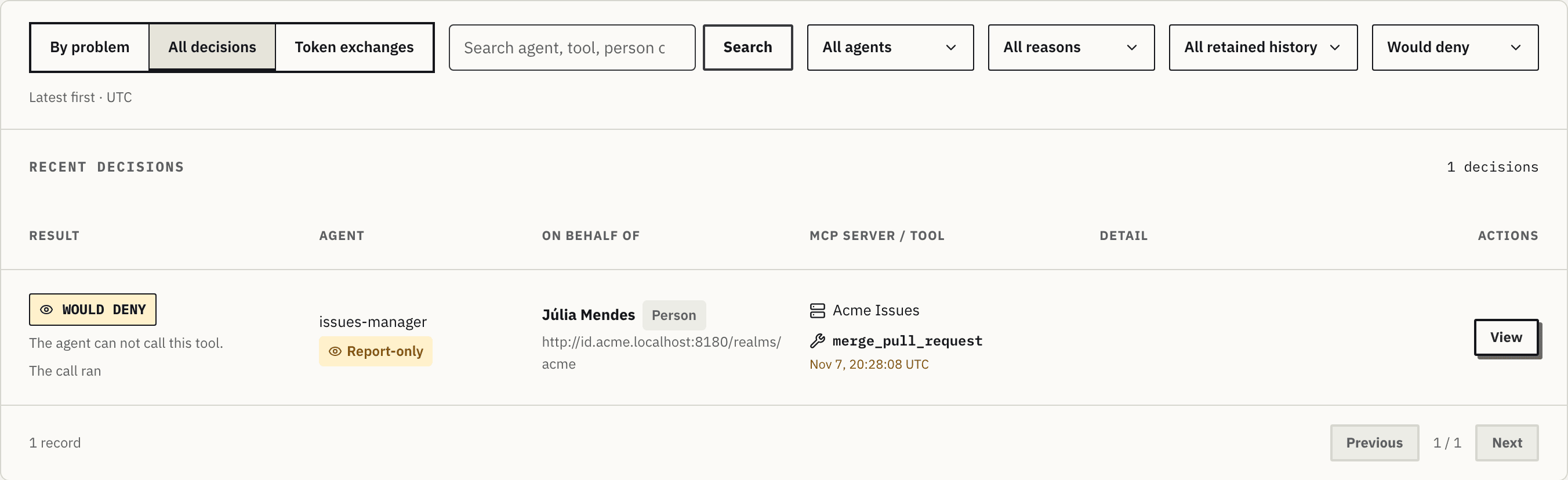
A would-deny call is never a denial: By problem and the Deny filter leave it out.
Open a row
View, in the Actions column, or a click on the row, opens the inspector:
- Decision inspector, for a decision;
- Token exchange inspector, for an exchange.
Back to the list returns to the list with the filters as they were.