Keycloak
The Keycloak connection form, the issuer, accepted audiences, directory access and the client that issues tokens.
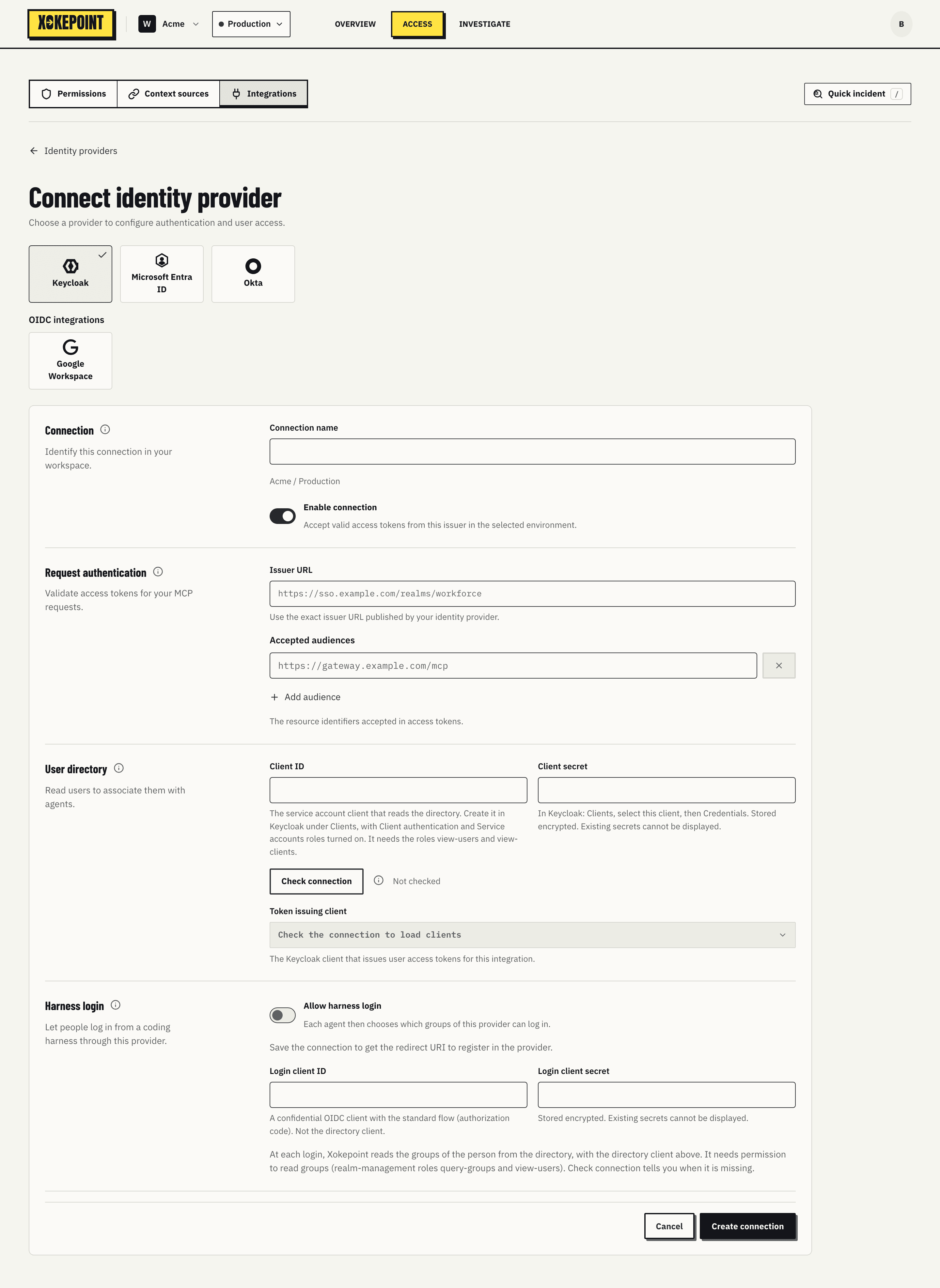
Connection
- Connection name: the connection name in the Admin, such as "Keycloak customer". Shown in agents, the graph and decisions.
- Enable connection: accepts tokens from this issuer in the selected environment. Turning it off has the same effect as Disable connection.
Request authentication
- Issuer URL: the exact realm URL found in the
issof tokens, such ashttps://sso.acme.com/realms/acme. From it, Xokepoint reads the OpenID metadata and the public keys. - Accepted audiences: the
audvalues the subject token must carry. Add audience adds another one. A token issued for another customer application, with another audience, is refused.
User directory
The Admin reads the realm directory through the Keycloak Admin REST API, to list people and services for delegation.
- Client ID and Client secret: a realm client with a service account, which Xokepoint uses only to read. In Keycloak, the client needs Client authentication and Service accounts on, and the
view-usersandview-clientsroles ofrealm-management. The secret is stored encrypted and not displayed; Change replaces it. - Check connection verifies directory access and shows the result next to it ("Connection verified").
- Token issuing client: the Keycloak client that issues the tokens users bring to the agent. The list comes from the realm itself after the check.
Clients with a service account appear as Services in delegation: a pipeline that runs the agent by itself is a Keycloak service.
Harness login
The last section configures how people log in from a coding harness through this realm (Harness login):
- Allow harness login turns it on for the connection.
- Redirect URI is the address to add to the valid redirect URIs of the login client in Keycloak.
- Login client ID and Login client secret: a confidential OIDC client with the standard flow (authorization code). It is not the directory client.
To read the groups of a person at login, the directory client also needs the query-groups role of realm-management. Groups are matched by their direct membership: a person in /engineering/developers is not a member of /engineering.
Save
Save changes (or Create connection) saves. A new connection appears in the list with the check result.