Server details
The expanded row of an MCP server, the managed tools, each tool's annotations and the full contract.
Clicking a server in the Custom MCPs list expands the row with its details:
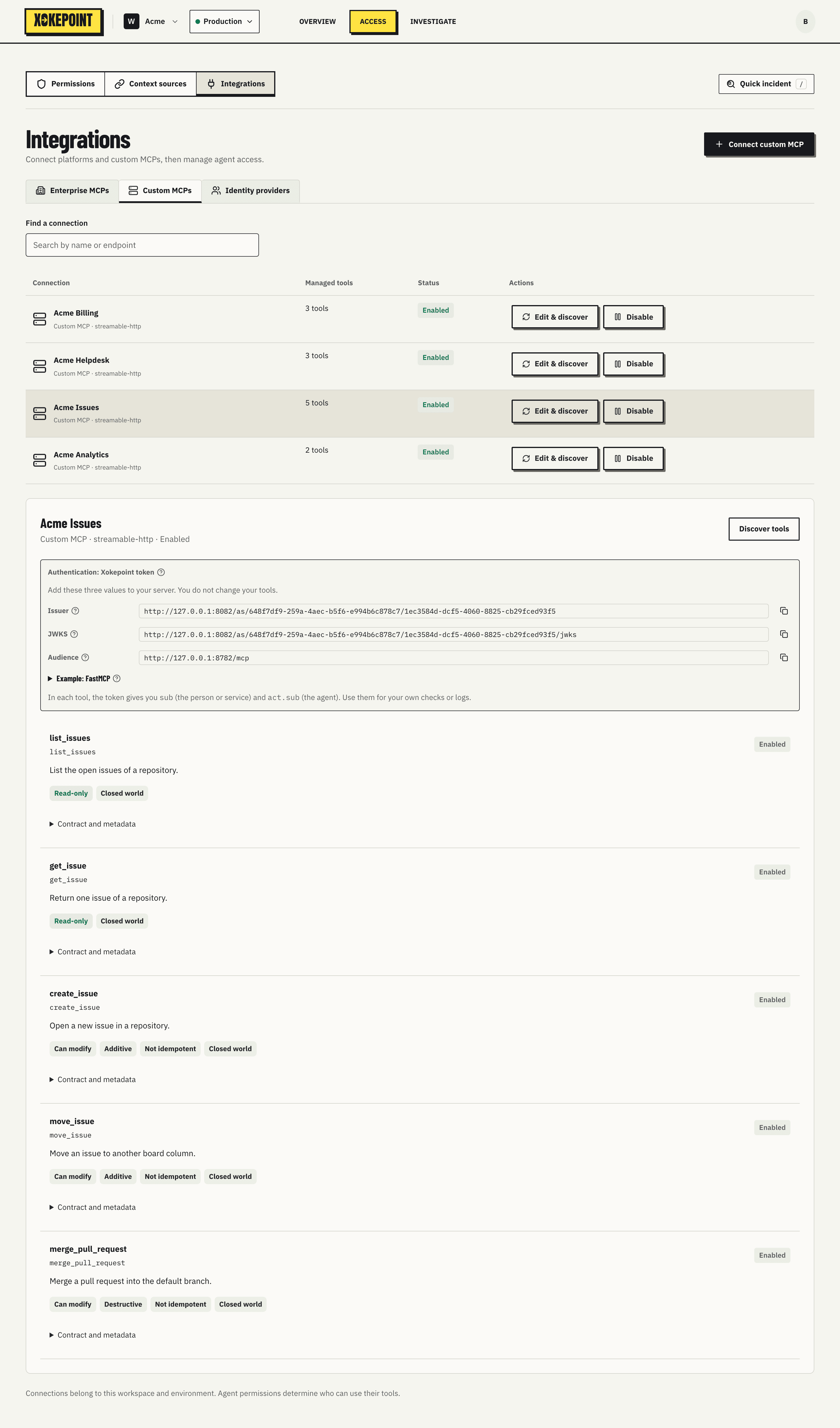
The header shows the name, type, transport and state, and Discover tools to discover again. Below, one row per managed tool.
A tool row
| Element | What it shows |
|---|---|
| Name and title | The tool name, such as list_issues, and the description the server published |
| State | Enabled when the tool is available to agents |
| Annotations | The hints the server declares about the tool |
| Contract and metadata | Expands the full contract |
Annotations come from MCP itself and help decide who should have the tool:
| Annotation | Meaning |
|---|---|
| Read-only | The tool changes nothing |
| Can modify | The tool changes data |
| Additive | The change only adds |
| Destructive | The change can delete or overwrite |
| Not idempotent | Repeating the call repeats the effect |
| Closed world | The tool does not talk to external systems |
Annotations are declared by the server, not verified. A tool marked Read-only still goes through the same authorization as any other.
The contract
Contract and metadata shows the full JSON the server published for the tool: name, annotations, description and the inputSchema, with arguments, types and required ones.
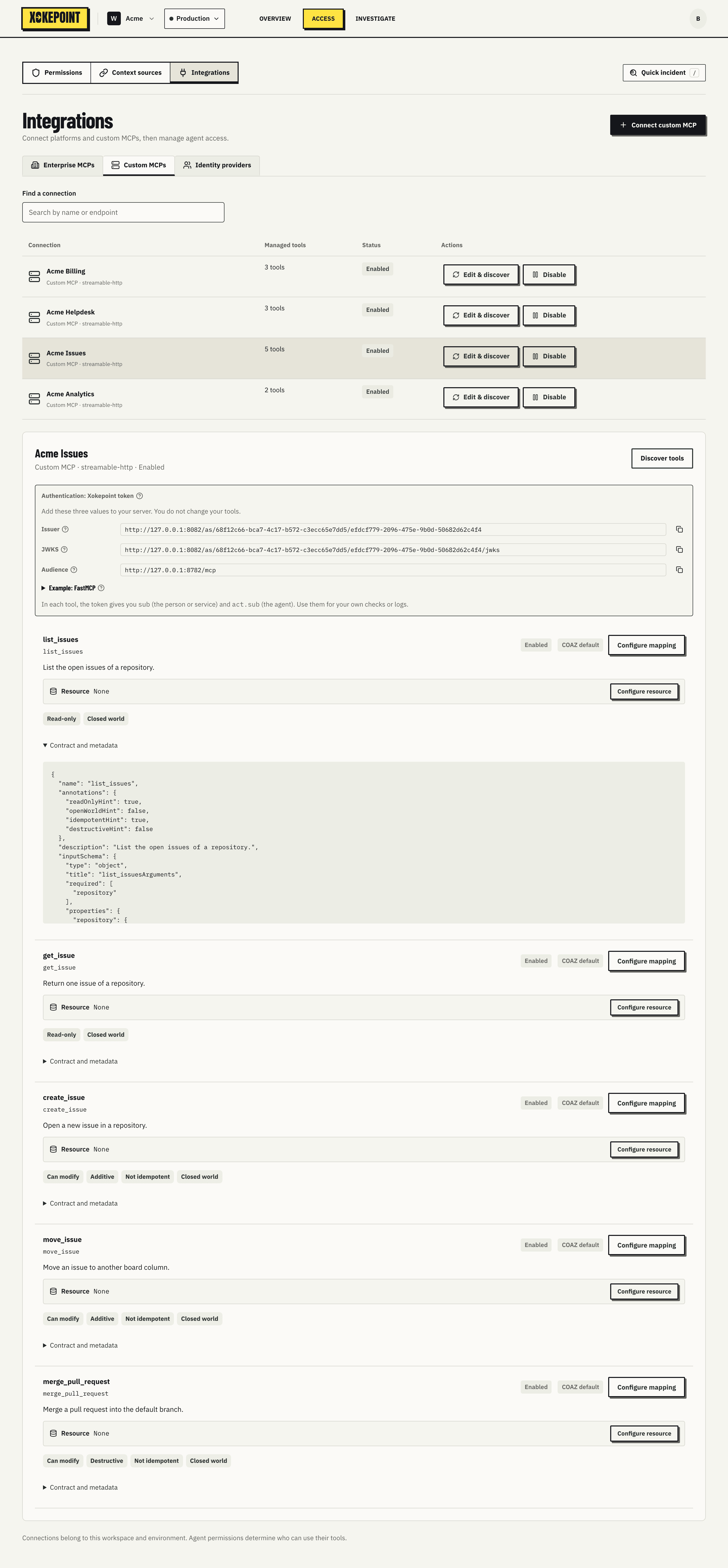
Xokepoint uses this schema to validate the arguments of each call before authorizing, and to offer the arguments as fields in the rule builder.