Customer servers
Connect your own MCP server, the connection dialog, Xokepoint token authentication and the code example for the server.
A customer server is an MCP server the company wrote itself: an internal RAG, a bridge to a legacy system, an issues server. It can trust Xokepoint and know, on every call, who the person is and which agent is acting.
The list
Servers are in Access › Integrations › Custom MCPs:
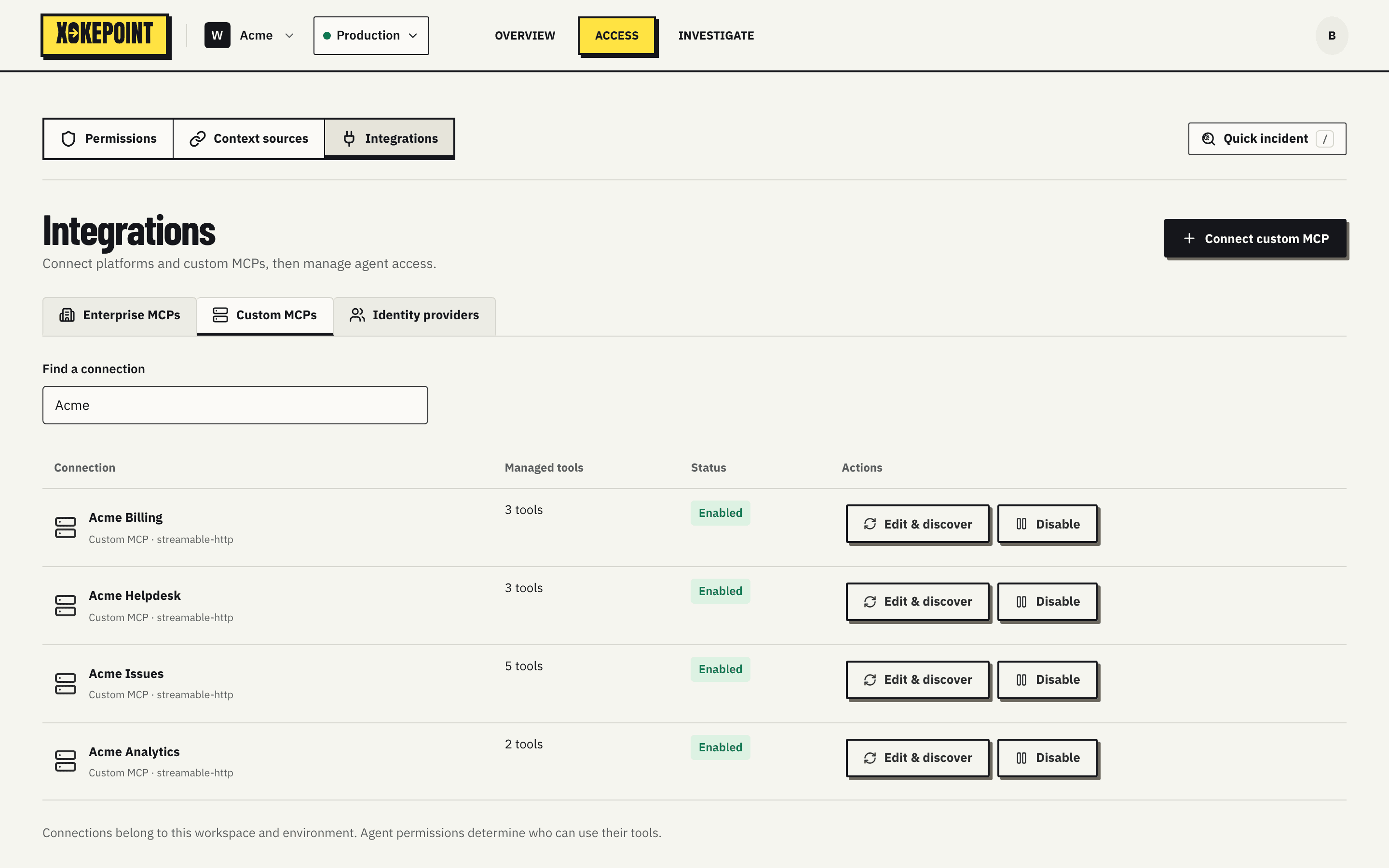
| Column | What it shows |
|---|---|
| Connection | Name, type and detected transport: "Custom MCP · streamable-http" |
| Managed tools | How many tools are managed, and Review required when the server changed and a tool waits for review |
| Status | Enabled or disabled |
| Actions | Edit & discover and Disable |
Find a connection filters by name or endpoint. Clicking the row opens the server details.
Connect
Connect custom MCP opens the dialog:
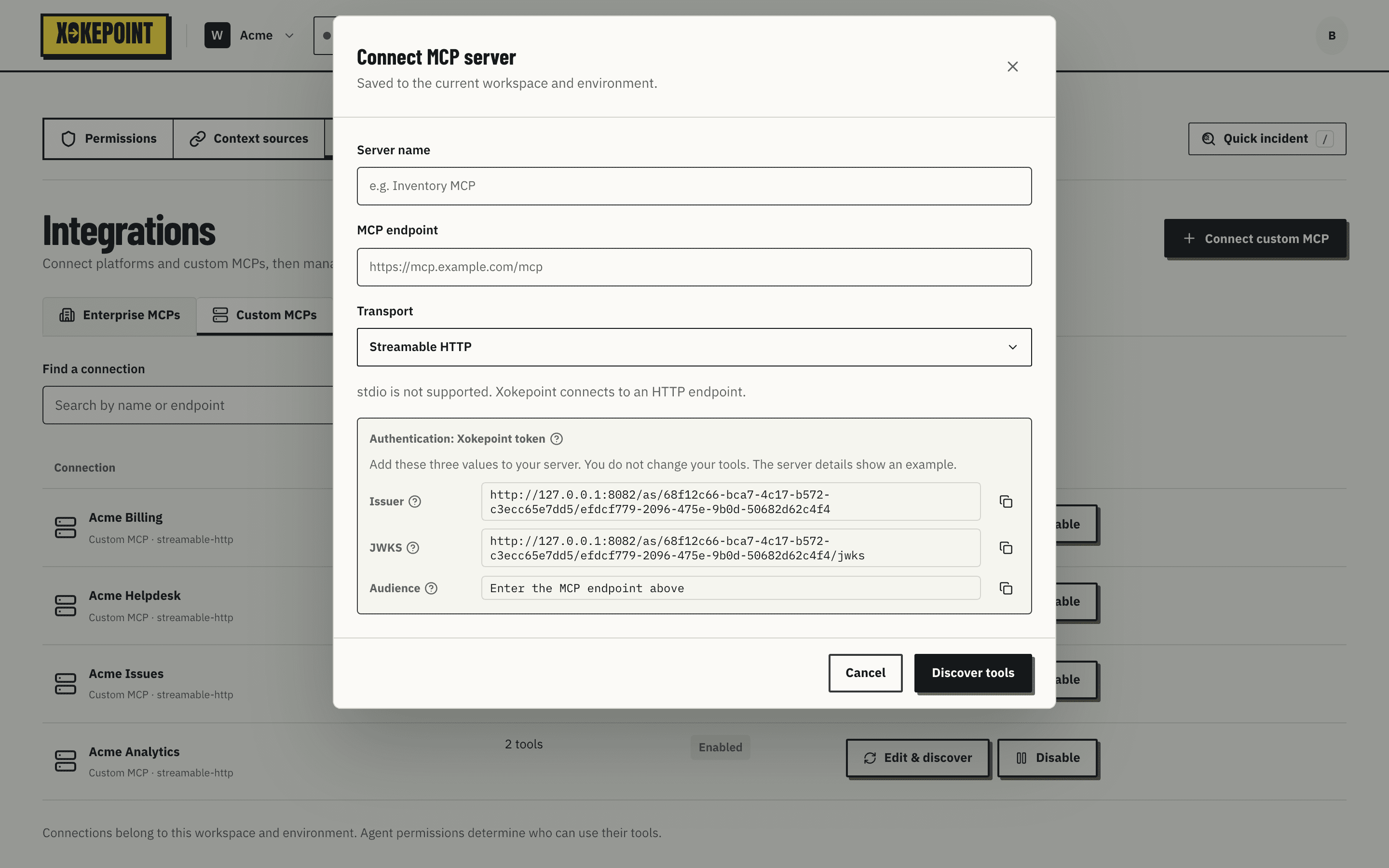
- Server name: the name shown in the Admin, in agents and in decisions.
- MCP endpoint: the server's HTTP URL.
- Transport: Streamable HTTP or HTTP+SSE. The transport is confirmed during discovery.
stdiois not supported, because Xokepoint must reach the server over the network. - Discover tools calls the server and opens the review of discovered tools.
Authentication: Xokepoint token
A customer server always authenticates with the Xokepoint token. There is no password or bearer token to enter. The dialog and the details show the three values the server must know, each with a copy button:
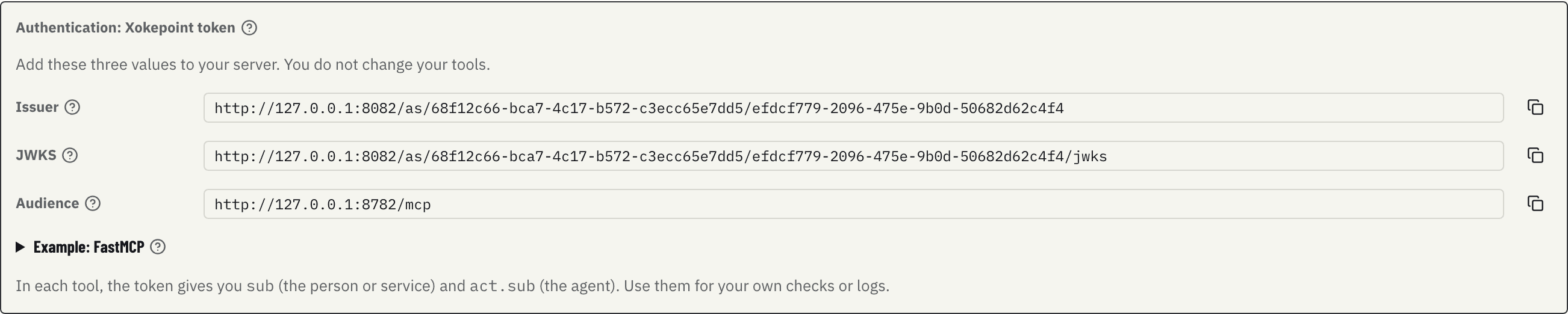
| Value | Purpose |
|---|---|
| Issuer | The issuer of the tokens the server must accept, one per workspace and environment |
| JWKS | The URL of the public keys. The server reads the URL; keys rotate, so you do not copy the key |
| Audience | The endpoint of the server itself. A token issued for another server is refused |
On every allowed call, the server receives a 60-second token made only for it, with sub (the person or service) and act.sub (the agent).
Example for the server
The server details include Example: FastMCP, with the environment values filled in and Copy example:
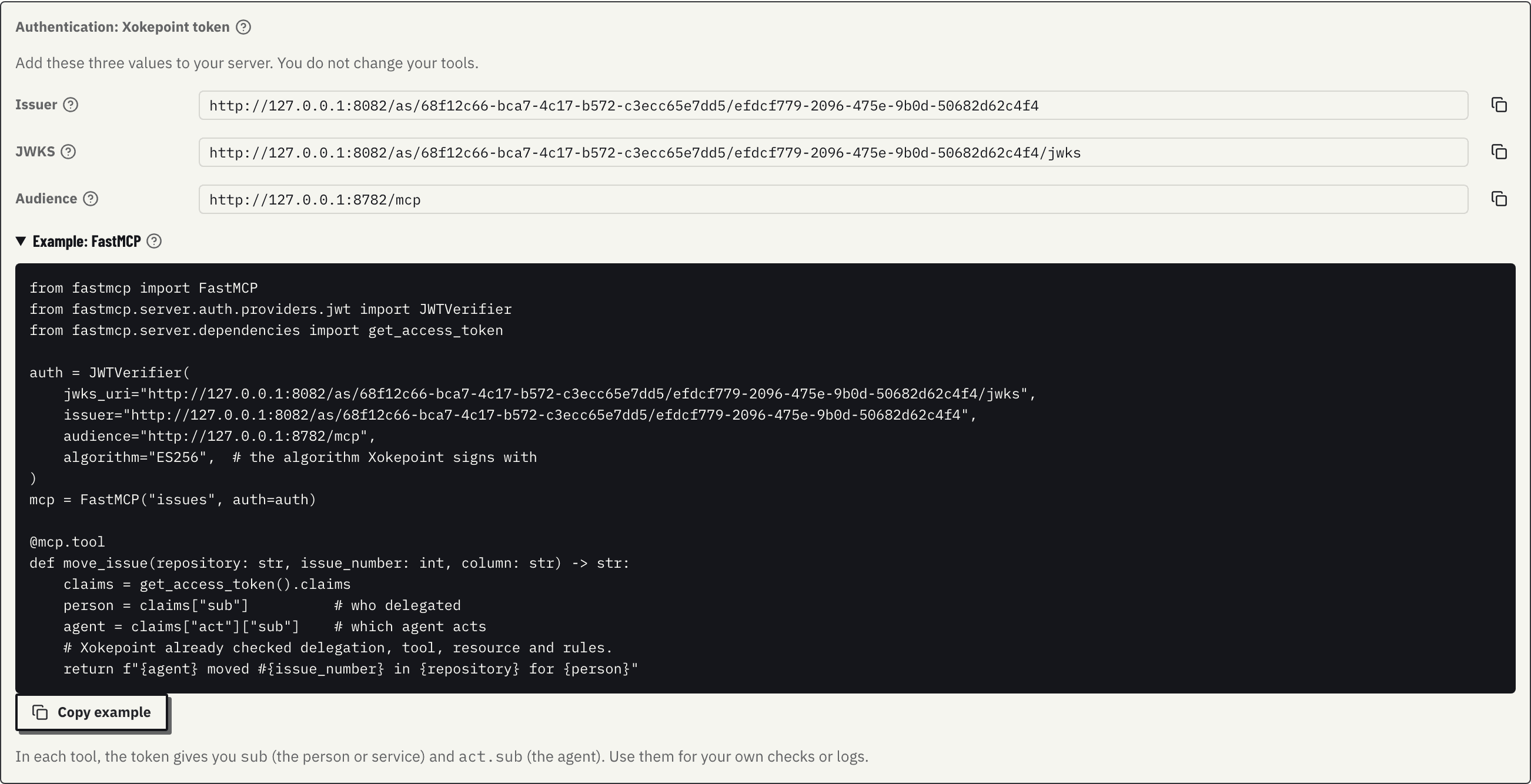
The example configures JWTVerifier with the JWKS, issuer and audience, and shows how to read sub and act.sub inside a tool. Validate the Xokepoint token explains each check.